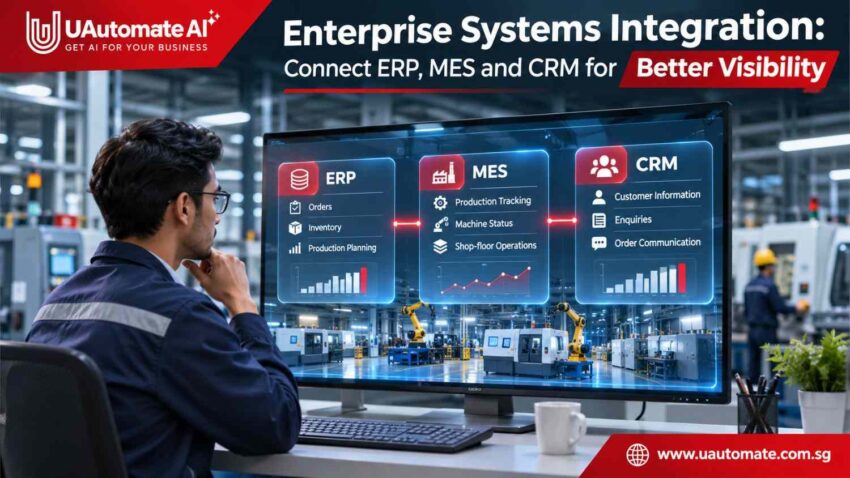
A manufacturing company may use ERP systems for order and inventory management, a manufacturing execution system to track production, and a CRM platform for customer relationships. Each of the systems’ functions is very important. But when they are separate teams have a hard time seeing the big picture of what is going on in the business.
A sales manager may confirm a delivery date without having the latest production information. A production planner may get an order with incomplete customer information. An operations manager may spend hours putting together reports from various applications just to see if production is meeting customer needs.
In the domain of enterprise systems integration we see value. By connecting ERP, MES and CRM manufacturers are able to produce a more coordinated flow of business and operational information.
In Singapore which has a business environment where companies work with regional suppliers, customers and production partners, manufacturers can benefit from connected systems.
The goal is not to just get software to talk to each other. We aim to present to people information which is consistent, relevant and in a timely manner.
The Real Problem: Your Systems Know Different Parts of the Same Story
A machine manufacturer which receives an order for custom made equipment.
The sales team logs customer requirements in CRM. ERP handles order, purchasing and financial information. MES reports on production progress and also logs that.
If these systems are out of connection employees must do manual transfer of information between them.
The issue is that a customer will change a specification, a supplier will delay a component or production will find a quality issue.
| Business question | System that may hold the information |
| What did the customer request? | CRM |
| Is the order commercially approved? | ERP |
| Are required materials available? | ERP / inventory |
| Has production started? | MES |
| Is the product ready for inspection? | MES / quality system |
| When can the order be delivered? | ERP, MES and logistics systems |
| What should the customer be told? | CRM / customer portal |
The challenge is that no single system necessarily contains the complete answer.
Integration creates a controlled way to share information between these systems while preserving their individual responsibilities.
How ERP, MES and CRM Work Together
Before connecting systems, it is important to understand what each one should do.
ERP: Manage the Business Transaction
An enterprise resource planning system typically supports business processes such as:
- Sales orders and purchasing
- Inventory and material planning
- Finance and accounting
- Supplier management
- Production planning
- Business reporting
ERP provides the commercial and resource-planning context for manufacturing.
For example, it can hold the approved order quantity, required delivery date, product details and material requirements. These records help the business understand what has been sold and what resources are needed to fulfil the order.
MES: Coordinate Manufacturing Execution
A manufacturing execution system manages and records activities closer to the production floor.
Depending on the implementation, it may support work-order execution, production status tracking, work-in-progress visibility, quality checks, operator records and production traceability.
MES connects production plans with what is actually happening on the shop floor. IBM’s MES overview explains how manufacturing execution systems support production monitoring and coordination with other business and operational systems.
Manufacturers looking to understand how production workflows, operational dashboards and existing business systems work together can also explore our guide to manufacturing software development in Singapore
CRM: Manage Customer Relationships and Communication
Customer relationship management software supports sales and customer-facing activities, including customer records, sales opportunities, enquiries, quotation follow-ups, communication history and customer service.
CRM helps teams understand the customer relationship, while ERP and MES provide information about the business transaction and its execution.
The Connected Relationship
- CRM – Customer and sales information
Stores customer requirements, enquiries, quotations and communication records. - Integration layer – Controlled information exchange
Validates, transforms and routes information between applications using APIs, events or other supported interfaces. - ERP – Business orders and planning
Manages approved orders, inventory, purchasing and resource planning. - MES – Manufacturing execution
Tracks work orders, production progress, quality checks and operational records. - Shop floor – Actual production activity
Generates production and equipment information that can be shared with relevant business systems. - ERP and CRM – Updated business visibility
Receives approved production and order updates to support fulfilment and customer communication.
The integration layer does not replace the connected systems. It coordinates how information moves between them, applies business rules and manages exceptions.
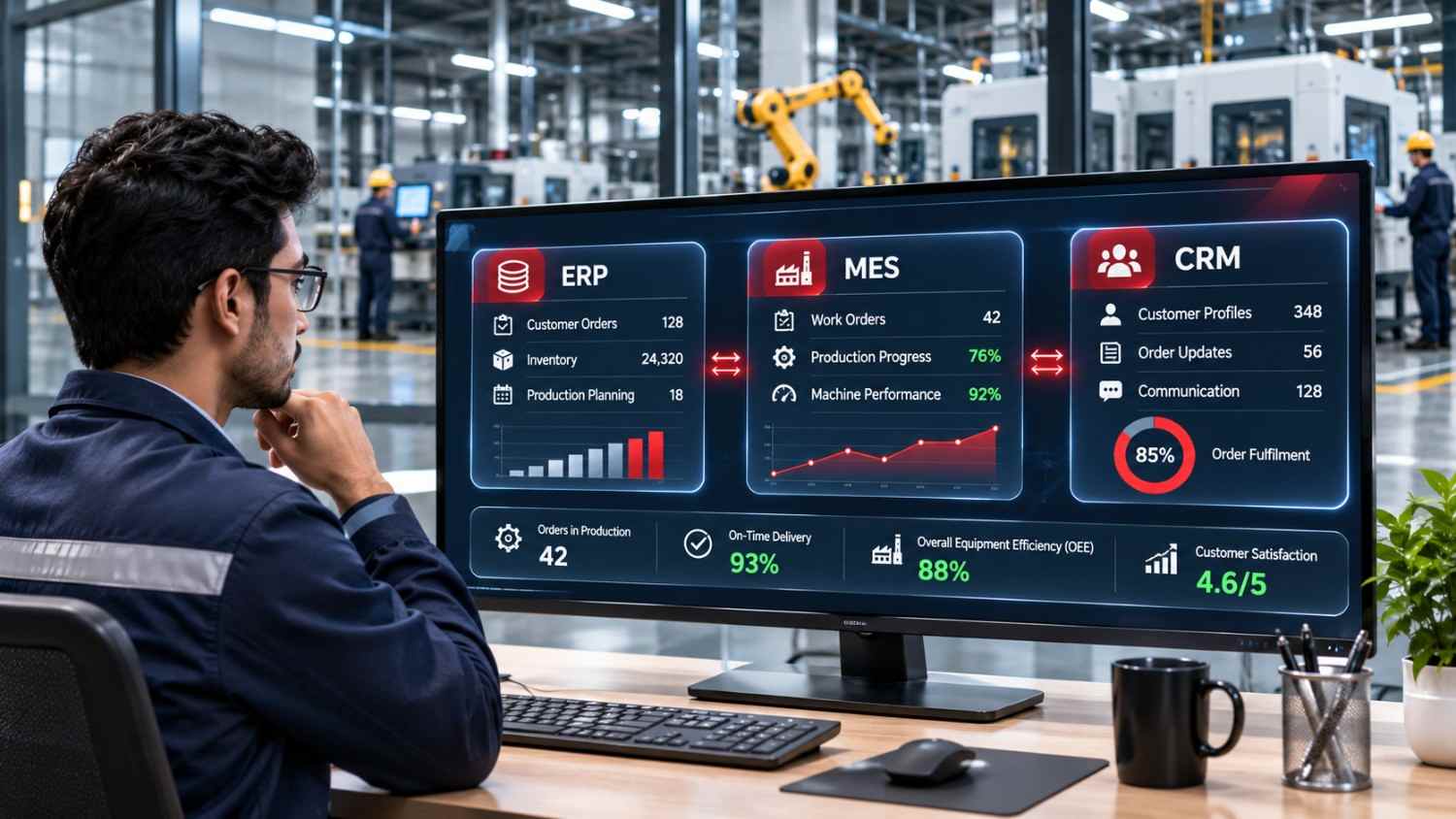
What Information Should Flow Between ERP, MES and CRM?
A common integration mistake is connecting systems without first deciding what information should be exchanged.
A better approach is to begin with the business process and identify the information each department needs to complete its work.
ERP to MES: From Order Planning to Production Execution
ERP may send the following information to MES:
- Approved production orders
- Product and bill-of-material references
- Required quantities
- Planned production dates
- Routing or operation instructions
- Relevant material availability information
MES can then return production information such as work-order status, completed quantities, rejected quantities, production progress, quality results and material consumption, where supported.
This creates a feedback loop between planning and execution.
ERP to CRM: From Business Transaction to Customer Visibility
ERP may share selected order information with CRM, including confirmed order numbers, order acceptance status, relevant delivery dates, shipment status and invoice information where appropriate.
The CRM user does not need unrestricted access to every ERP record. They need the information required to manage the customer relationship.
MES to CRM: From Shop-Floor Progress to Customer Communication
MES information can support customer-facing updates when the data is reliable and the business process permits it.
For example, CRM may display production started, manufacturing completed, quality inspection pending or order ready for dispatch.
These updates should be based on approved production events rather than manually guessed delivery statuses.
| Data | Suggested authoritative system | Receiving systems |
| Customer contact details | CRM | ERP |
| Sales order and commercial terms | ERP | CRM, MES |
| Production work order | ERP or planning system | MES |
| Actual production progress | MES | ERP, CRM |
| Inventory balance | ERP or designated inventory system | MES |
| Quality inspection results | MES / quality system | ERP, approved portal |
The exact ownership model depends on the software and operating process. The important principle is to establish one authoritative source for each data object instead of allowing multiple systems to overwrite one another.
A Practical Example: From Customer Enquiry to Completed Manufacturing Order
Imagine a Singapore-based machine builder receives an enquiry for customised industrial equipment.
The customer requests a specific configuration, quantity and delivery date.
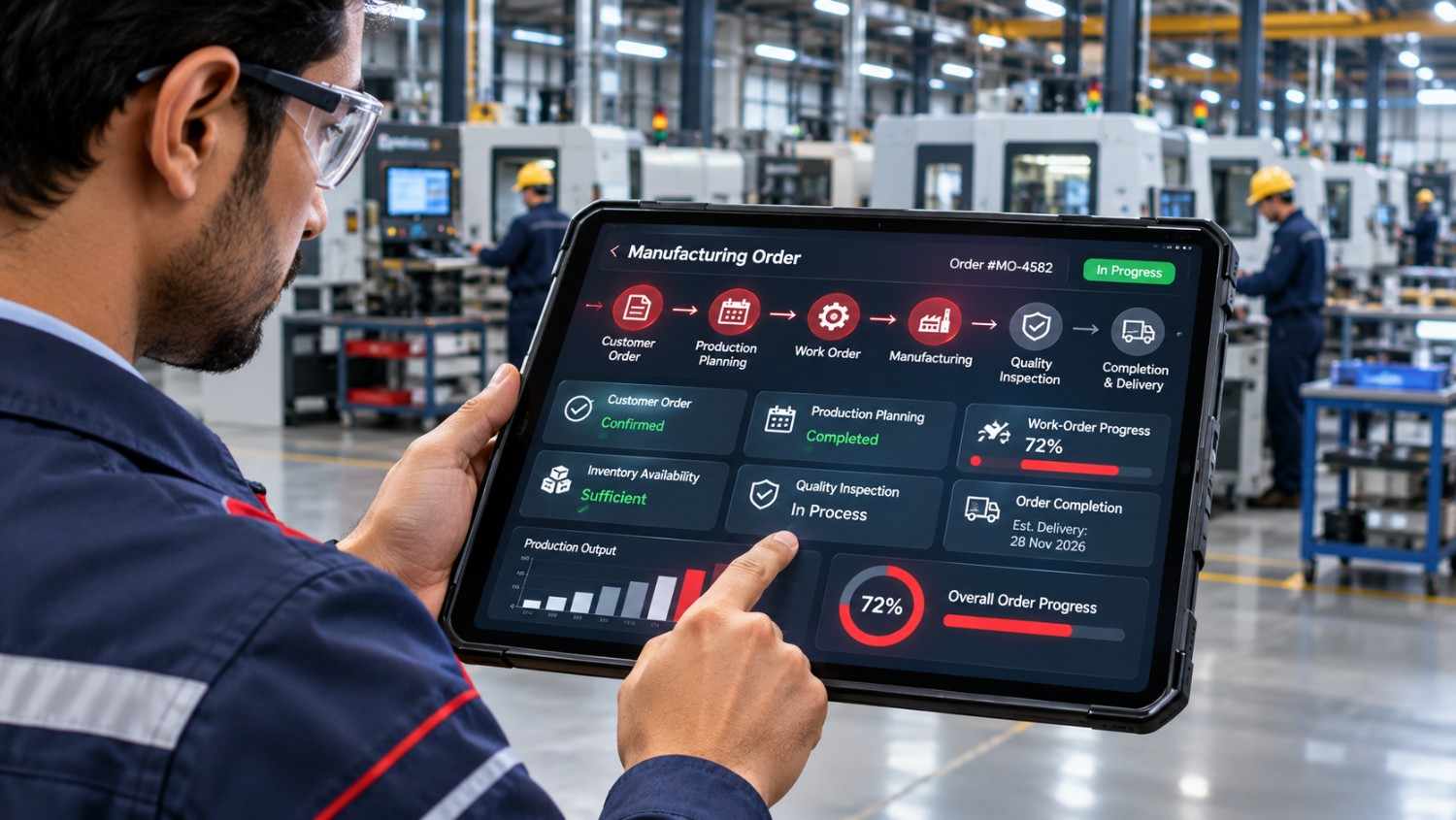
Step 1: Capture the Enquiry in CRM
The sales team records the customer, application requirements, specifications and expected order value.
When the quotation is approved and the customer confirms the purchase, CRM sends the relevant information to ERP through an authorised integration.
Step 2: Create and Validate the Order in ERP
ERP creates the sales order and checks relevant commercial and resource information.
The integration can then pass an approved production requirement to MES, subject to the manufacturer’s planning and release process.
Step 3: Coordinate Manufacturing in MES
MES receives the work order and tracks production activities.
Operators or connected systems update progress as manufacturing proceeds. If a quality issue occurs, the relevant status can be recorded and routed to the appropriate team.
Step 4: Return Production Updates
MES sends selected status events back to ERP.
ERP can use these updates to coordinate inventory, fulfilment and order management.
Step 5: Update the Customer-Facing View
CRM receives approved order and production status information.
The sales or customer service team can communicate more confidently because the information is based on actual order and production records.
The result is a more connected workflow in which each department can see the information relevant to its responsibilities.
Connecting these systems can also support automated quotations, procurement and reporting workflows. Read our guide to business process automation for manufacturers to explore how these processes can be coordinated.
Choosing the Right Integration Architecture
Not all manufacturers do the same.
The best architecture is a function of the number of systems, available interfaces, data volume, security requirements, latency and the team’s maintenance ability.
Direct API Integration
A direct API interface which connects one application to another.
It is for when you have few systems which to connect, the process is well defined and both applications have stable APIs.
As the number of systems increases direct connections become difficult to maintain.
Middleware or an Integration Platform
Middleware serves as a shared layer for routing, transforming and coordinating information between applications.
It is also true that which systems will be integrating with each other may require this or that integration rules be managed from a central point.
Custom Integration Software
Custom built integration software is a solution for when a business has specialized workflows, legacy applications, atypical data structures or requirements which standard connectors do not meet.
A custom solution can be created for each process, also it requires ongoing support, testing and maintenance.
| Approach | Best suited for | Main consideration |
| Direct API | Focused connection between two systems | Can become complex as connections multiply |
| Middleware / iPaaS | Multiple applications and reusable flows | Platform capability and licensing |
| Custom integration | Specialised workflows or legacy environments | Development and long-term maintenance |
| Hybrid architecture | Mix of standard and custom systems | Requires clear architecture and governance |
IBM’s integration guidance discusses the importance of choosing an approach based on business needs, system compatibility and reliability rather than assuming one method fits every organisation.
When standard platforms cannot support specialised workflows or connect with existing applications, a targeted custom solution may be worth considering. Our guide to custom software development for manufacturing companies explains when tailored software can be a practical option.
Real-Time Integration or Scheduled Synchronisation?
A common commercial question is whether every system needs real-time integration.
The answer is no.
Some information must move quickly because it affects an active business process. Other information can be exchanged periodically without creating operational problems.
| Information | Possible integration frequency |
| Production stoppage or critical exception | Event-driven or near real-time |
| Work-order release | Event-driven or controlled transaction |
| Customer order acceptance | Immediate confirmation |
| Production progress | Event-driven or frequent updates |
| Daily management reports | Scheduled |
| Historical analytics | Batch or periodic |
| Master data updates | Event-driven or scheduled |
The integration frequency should be determined by the business consequence of delay.
For example, a production line stoppage may require rapid notification. A historical monthly report does not.
Real-time integration also introduces additional considerations such as system availability, processing capacity and recovery behaviour.
Integration Challenges Manufacturers Should Plan For
A successful connection requires more than matching fields between two applications.
1. Different Data Formats
One system may identify a product using an internal item code, while another uses a different product identifier.
Data mapping must translate these values consistently and validate that the receiving system understands the information.
2. Duplicate or Missing Transactions
A message may be delivered more than once, or a system may temporarily fail to process it.
Integration logic should account for duplicate detection, transaction identifiers and safe retry behaviour.
3. Conflicting Data Ownership
If CRM and ERP both allow customer or order information to be edited, the integration must define which changes are authoritative.
Without clear ownership, one system may overwrite a valid update from another.
4. Legacy Software Limitations
Older ERP or MES systems may not provide modern APIs.
Integration may require supported file exchange, database interfaces, vendor adapters or a custom connector. The appropriate method depends on the system’s capabilities and vendor access restrictions.
5. Production Network and Security Constraints
Manufacturing environments may separate enterprise IT systems from operational technology networks.
Integration should respect those boundaries, use approved communication paths and avoid creating unrestricted access from business applications to machine-control systems.
6. Monitoring and Recovery
A connection can appear operational while individual transactions are failing.
A dependable integration should include appropriate logs, alerts, error queues, transaction status and a process for investigating and replaying failed messages safely.
How to Implement Enterprise Integration Without Disrupting Operations
Instead of connecting every application at once, manufacturers can use a phased approach.
Phase 1: Identify the Business Problem
Start with a measurable issue.
Examples include sales teams lacking reliable production status, production planners manually re-entering order information, inventory updates arriving too late or managers combining ERP and MES reports manually.
Define what should improve and how the result will be measured.
Phase 2: Map the Current Workflow
Document the systems involved, the people responsible and the information exchanged.
Identify where manual entry occurs, where delays happen and which system owns each record.
Phase 3: Select a Pilot Workflow
Choose a workflow with clear value and manageable complexity.
For example, connecting ERP work-order release with MES production status may be a useful starting point for a manufacturer that struggles with production visibility.
Phase 4: Design and Validate the Integration
Define data fields, mapping rules, permissions, transaction handling and expected behaviour when a system is unavailable.
Test normal operations as well as exceptions.
Phase 5: Deploy, Monitor and Expand
Deploy the pilot in a controlled environment, monitor its performance and gather feedback from users.
Once the workflow is dependable, extend the integration to additional systems or business processes.
Measuring Whether Integration Is Working
Integration should be evaluated by its operational value, not simply by the number of systems connected.
Useful measures may include:
| KPI | What it helps evaluate |
| Order data accuracy | Whether information is consistent across systems |
| Order processing time | Whether manual handoffs have reduced |
| Production status latency | How quickly production updates reach business teams |
| Failed transaction rate | How reliably messages are processed |
| Manual data entry volume | Whether repetitive work has been reduced |
| Exception resolution time | How quickly integration issues are corrected |
| Reporting preparation time | Whether managers access information more efficiently |
The baseline should be measured before implementation. Targets should then be agreed based on the existing process, project scope and business priorities.
How UAutomate AI Supports Connected Industrial Systems
UAutomate AI is a Singapore-focused software engineering company working on industrial software, custom applications, AI-enabled solutions and business process automation.
For manufacturers and industrial businesses, the objective is to engineer software around operational requirements and connect relevant information across existing systems.
ERP and Business Application Integration
UAutomate AI’s integration capabilities include connecting enterprise applications, APIs, databases and business workflows.
Depending on the available interfaces, this may involve order data exchange, master data synchronisation, workflow triggers and integration exception handling.
Manufacturing Software and Operational Visibility
Manufacturers may require custom applications to improve production workflow management, downtime analysis, maintenance intelligence or reporting.
These applications can be designed to use relevant ERP, MES and operational information without automatically replacing existing systems.
Explore manufacturing software solutions and custom software engineering to understand how software can be designed around industrial requirements.
Custom Software for Machine Builders and Automation Companies
Machine builders may need equipment-related applications, service portals, customer-facing software or digital extensions to their products.
Industrial automation companies may require additional software engineering capabilities for customer projects involving data applications, dashboards or system integration.
Industrial AI and Workflow Automation
Where appropriate, connected data can support industrial AI applications such as technical knowledge retrieval, document processing and operational analysis.
AI should be introduced only where it addresses a defined use case and can be validated against suitable data. Safety-critical machine actions should remain under appropriate engineering controls and human oversight.
Learn more about industrial AI solutions and business process automation.
Frequently Asked Questions
1. What is enterprise systems integration?
Enterprise systems integration connects business applications and operational systems so relevant information can move between them in a controlled way. In manufacturing, this often includes ERP, MES, CRM, inventory, maintenance and reporting platforms.
2. Why should manufacturers integrate ERP, MES and CRM?
Integration can reduce duplicate data entry, improve order and production visibility, support more consistent customer updates and make it easier for teams to coordinate business and manufacturing activities.
3. What is the difference between ERP integration and MES integration?
ERP integration connects business processes such as orders, inventory and planning with other applications. MES integration connects manufacturing execution information such as work orders, production progress and quality records with relevant business or operational systems.
4. Can ERP, MES and CRM be integrated without replacing existing software?
Yes, in many cases. Existing applications can be connected through supported APIs, middleware, file exchange or custom integration software. Feasibility depends on system access, licensing, interface availability and technical constraints.
5. Does manufacturing systems integration require real-time data?
Not always. Critical production events may require near-real-time updates, while reporting and historical data can often use scheduled synchronisation. The required frequency should be based on the operational impact of delay.
6. How long does ERP, MES and CRM integration take?
The timeline depends on the number of systems, data complexity, interface availability, security requirements and testing scope. A focused pilot may be considerably simpler than integrating multiple plants and legacy applications. A reliable estimate requires technical discovery.
7. How much does enterprise systems integration cost in Singapore?
Cost depends on the integration architecture, number of applications, custom development, data migration, testing, deployment and ongoing support. A project should be scoped around required workflows and measurable business outcomes rather than a generic per-system price.
8. How can a manufacturer get started with systems integration?
Begin by identifying one high-value workflow, mapping the information involved and confirming which system owns each record. Then assess available interfaces, select a suitable integration approach and implement a controlled pilot before expanding.
Connect Your Industrial Systems with UAutomate AI
Disconnected systems present a challenge in that they do not provide a clear picture of the relationship between customer orders, business planning and actual production.
A well put together integration can see your teams working with more consistent info, reduce unneeded manual handoffs and also improve operational visibility.
UAutomate AI partners with manufacturers, machine builders and industrial automation companies to develop software requirements and design practical connected systems.
If you are in the process of looking at ERP integration, MES integration, CRM integration or a broader manufacturing systems integration project, start with the workflow that is causing the most operational issues.
Check out UAutomate AI’s systems integration services or contact the engineering team to discuss your needs.
Develop a network of industrial software around the systems your business is already using.