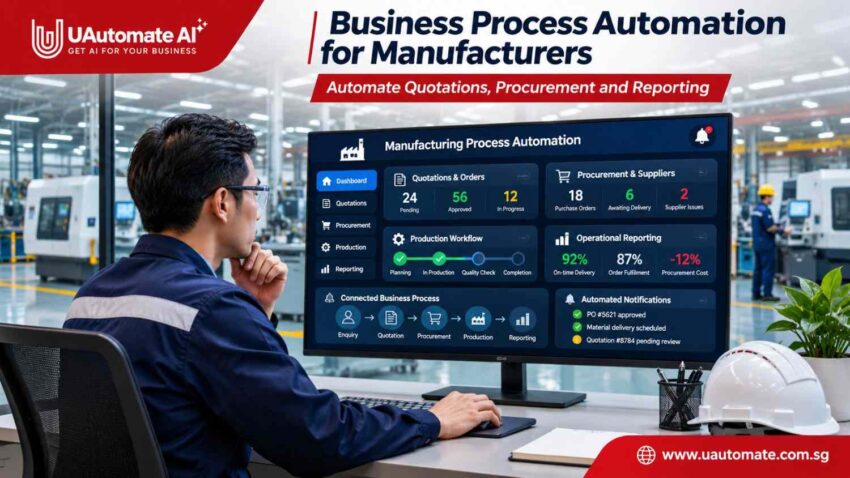
Manufacturing companies do not run on equipment and production lines alone. Behind each fulfilled order are a series of processes which include putting together customer quotes, working with suppliers, processing purchase orders and analysing operational reports. When these processes use separate spreadsheets, email and manual records systems issues may cause routine decisions to take longer than they should.
For growing manufacturers we see that manufacturing process automation is a solution which ties these activities together via structured digital workflows. Instead of using spreadsheets for quotes, procurement via email and separate documents for reports we see that companies may implement connected processes which have information flow between departments.
This is true for manufacturers, machine builders and industrial companies which are dealing with custom orders, many suppliers and variable production requirements.
The goal is not to jump right into automation of everything. We want to identify which tasks are repetitive, which admin work can be reduced and what important business information can be made more accessible.
Let’s explore how manufacturers can improve three essential functions: quotations, procurement and reporting.
Why Manual Business Processes Create Operational Bottlenecks in Manufacturing
Manual business processes create operational bottlenecks in manufacturing.
A manufacturing company may have the best in class machinery and production processes but still rely greatly on manual administrative tasks.
A machine building company that has it’s customers approach them with requests for custom made equipment. The sales team puts together quotes which they put in spreadsheets, procurement staff approaches individual suppliers, and management collects info from various departments before they put together weekly reports.
These may be separate entities but we see issues when it comes to information flow between teams.
Common workflow challenges
| Business activity | Traditional approach | Operational challenge |
| Quotation management | Manual calculations and spreadsheets | Delayed quotations |
| Purchase requisitions | Emails and paper-based requests | Difficult approval tracking |
| Supplier coordination | Individual calls and emails | Limited order visibility |
| Invoice processing | Manual document checking | Repetitive verification |
| Management reporting | Multiple spreadsheets | Delayed information |
| Internal approvals | Manual reminders | Unclear responsibilities |
These difficulties become more noticeable as transaction volumes increase.
For instance, in the preparation of a quote for custom machinery we see which departments of engineering, sales and procurement are involved. If each department has their separate files, we see that employees request info which may exist in another department.
In the same way in which we see in the purchase process that an employee may spend time going over email chains to determine if a supplier has in fact received a purchase order.
The base issue is that information is siloed rather than there being no software at all. Manufacturers require systems which integrate employees, documents, business rules and present layer applications.
Connecting Manufacturing Operations Through Automated Workflows
Business process automation is the use of software for routine tasks, info transfer, notifications and approvals.
Instead of manual transfer of info between departments by employees, we have a digital workflow which at fulfilment of specific conditions will trigger the next action.
For instance when a purchase request is made the system will check the required info, identify the right approver and log the decision.
How an automated workflow operates
| Stage | What happens | Example |
| 1. Information capture | The system receives a request | Customer enquiry or purchase request |
| 2. Validation | Required information is checked | Verify quantities and mandatory fields |
| 3. Task assignment | Request reaches the responsible person | Route request to a manager |
| 4. Action and approval | Business activity is completed | Generate quotation or purchase order |
| 5. Tracking | Status and decisions are recorded | Update operational records |
This approach helps departments follow consistent processes instead of relying entirely on manual follow-ups.
Connecting existing business systems
Manufacturers are using some of the ERP platforms, customer relationship management systems, accounting applications and inventory management tools. We don’t always have to replace each application.
With the right integration features new workflows are able to share info with present systems via APIs, webhooks and other supported interfaces.
For instance sales info may enter quote processes, also it is the case that once a purchase order is approved it links up with ERP records, also we see that which is to say operational info which in turn populates management dashboards.
The integration approach is a function of system compatibility, data availability and security requirements.
Manufacturers looking to connect production activities, inventory records and operational reporting can also explore our guide to manufacturing software development in Singapore to understand different software options and integration approaches.
Automating Manufacturing Quotations: From Customer Enquiry to Approval
Preparing quotations is a key activity for manufacturers and machine builders which in turn is very much the case when customers ask for custom made products, equipment or engineering services.
A quotation may include raw materials, components, labour, engineering requirements, transportation and also additional services. We see that employees put together and check these costs which at times may become a repetitive task.
A. Capture customer enquiries automatically
An automated system can collect information submitted through websites, emails or sales channels.
Relevant details may include:
- Customer name and contact information.
- Product or equipment specifications.
- Required quantities.
- Technical requirements.
- Expected delivery timelines.
- Additional customer instructions.
For unstructured enquiries, AI-assisted extraction can help identify relevant information. Technical specifications should still be checked before commercial calculations are finalised.
B. Generate quotations using predefined pricing rules
Once the information is captured, the system can retrieve relevant product details and pricing information.
| Cost component | Information required |
| Raw materials | Material type, quantity and unit cost |
| Components | Part numbers and supplier prices |
| Labour | Estimated engineering or production hours |
| Additional services | Installation and testing |
| Logistics | Packaging and delivery charges |
| Commercial terms | Taxes, discounts and payment conditions |
The system can apply approved pricing rules to calculate the quotation and generate a standardised document.
For customised engineering projects, employees should review technical assumptions and cost estimates before the quotation is issued.
C. Streamline quotation approvals and follow-ups
Different quotation values may require different approval levels. A company may allow sales managers to approve standard quotations while requiring additional financial approval for high-value projects.
A typical process involves:
- Recording the customer enquiry.
- Retrieving product specifications and pricing.
- Generating a quotation draft.
- Sending it to the appropriate manager.
- Approving the document or requesting revisions.
- Sending the approved quotation to the customer.
- Recording its status and scheduling follow-ups.
Practical example: A machine builder receives an enquiry for customised packaging equipment. The workflow captures technical requirements, retrieves relevant cost information and prepares a quotation draft. The manager reviews the document before it is sent to the customer.
This creates a more organised process without removing the need for commercial and engineering judgement.

Procurement Automation: Improving Supplier Coordination and Purchase Order Management
Manufacturers regularly purchase raw materials, machine components, spare parts and packaging materials. When purchasing activities are managed through separate emails and spreadsheets, employees may struggle to track approvals, supplier responses and delivery schedules.
Procurement automation brings these activities into a connected purchasing process.
A. Automate purchase requisitions
A purchase requisition is an internal request to purchase materials, products or services.
A digital workflow can capture:
- Requested material or component.
- Required quantity.
- Preferred supplier.
- Expected delivery date.
- Department and cost centre.
- Reason for purchase.
The system checks mandatory information and routes the request according to predefined approval rules.
B. Streamline purchase order generation
Once a request is approved, the system can prepare a purchase order using relevant supplier and purchasing information.
| Procurement activity | Automation opportunity | Operational value |
| Purchase requisition | Digital submission | Standardised requests |
| Approval management | Automated routing | Better visibility |
| Purchase order creation | Document generation | Less administration |
| Supplier communication | Notifications | Consistent updates |
| Delivery tracking | Order monitoring | Better visibility |
| Invoice verification | Document matching | Structured checking |
The purchasing team can maintain centralised order records rather than searching through individual email conversations.
C. Improve supplier communication
Supplier coordination involves requesting quotations, confirming orders and checking delivery schedules.
Automated notifications can be triggered when a purchase order is issued, supplier confirmation is pending, an expected delivery date approaches or a shipment is delayed.
These notifications do not replace supplier discussions. They reduce routine follow-ups and help employees focus on issues requiring personal attention.
D. Automate invoice verification
Invoice processing often requires employees to compare supplier invoices against purchase orders and goods receipt records.
A document-processing workflow can extract invoice numbers, supplier details, quantities and prices, then compare them with purchasing records.
A three-way matching process involves:
| Document | Information checked |
| Purchase order | Approved quantity and price |
| Goods receipt | Quantity actually received |
| Supplier invoice | Billed quantity and amount |
If the information matches, the invoice can proceed to payment approval. If a discrepancy appears, the system flags it for employee review.
Practical example: A manufacturer receives an invoice for machine components. The system compares it with the purchase order and goods receipt, identifies a quantity mismatch and alerts the finance team.
Automation should support financial controls rather than bypass them. Exceptions and high-value transactions should remain subject to authorised review.
Beyond purchasing activities, manufacturers can automate several connected business functions. Our guide to business process automation in Singapore explains how structured workflows can reduce repetitive work and improve coordination between departments.
Reporting Automation: Turning Operational Data into Useful Business Information
Manufacturing managers need timely information about purchasing expenditure, production progress, customer enquiries and operational performance.
However, preparing reports manually can consume considerable employee time. Information may be stored across ERP platforms, accounting applications, procurement spreadsheets and departmental records.
Reporting automation creates a more consistent way to collect and present this information.
A. Consolidate information across departments
A connected reporting system can collect information from supported applications.
| Department | Data collected | Reporting purpose |
| Sales | Quotations and orders | Monitor commercial activity |
| Procurement | Purchase orders and supplier performance | Track purchasing |
| Inventory | Stock levels and material movements | Identify replenishment needs |
| Production | Output and workflow status | Review production progress |
| Finance | Expenses and invoices | Monitor financial information |
The information available depends on the manufacturer’s systems and integration requirements.
B. Build automated management dashboards
Key information can be viewed using dashboards.
A manufacturing dashboard may include: unapproved quotations, unconfirmed purchase orders, late deliveries, total purchasing costs by supplier and unverified invoices.
If a procurement manager wants to know which suppliers have caused late deliveries, and a financial manager wants to see purchasing costs, a dashboard can be created to allow both pieces of information to be seen. This can be done by selecting the right information to display from business records.
C. Schedule reports and notifications
A reporting workflow can generate and distribute reports according to an agreed schedule.
| Frequency | Example report |
| Daily | Pending quotations and purchase orders |
| Weekly | Supplier delivery performance |
| Monthly | Procurement expenditure |
| Quarterly | Departmental operational review |
Managers can also receive notifications when predefined conditions occur, such as an overdue approval or an order exceeding an agreed threshold.
The advantage is not simply faster report generation. It is having consistent information available when decisions need to be made.
Business Benefits of Connecting Quotations, Procurement and Reporting
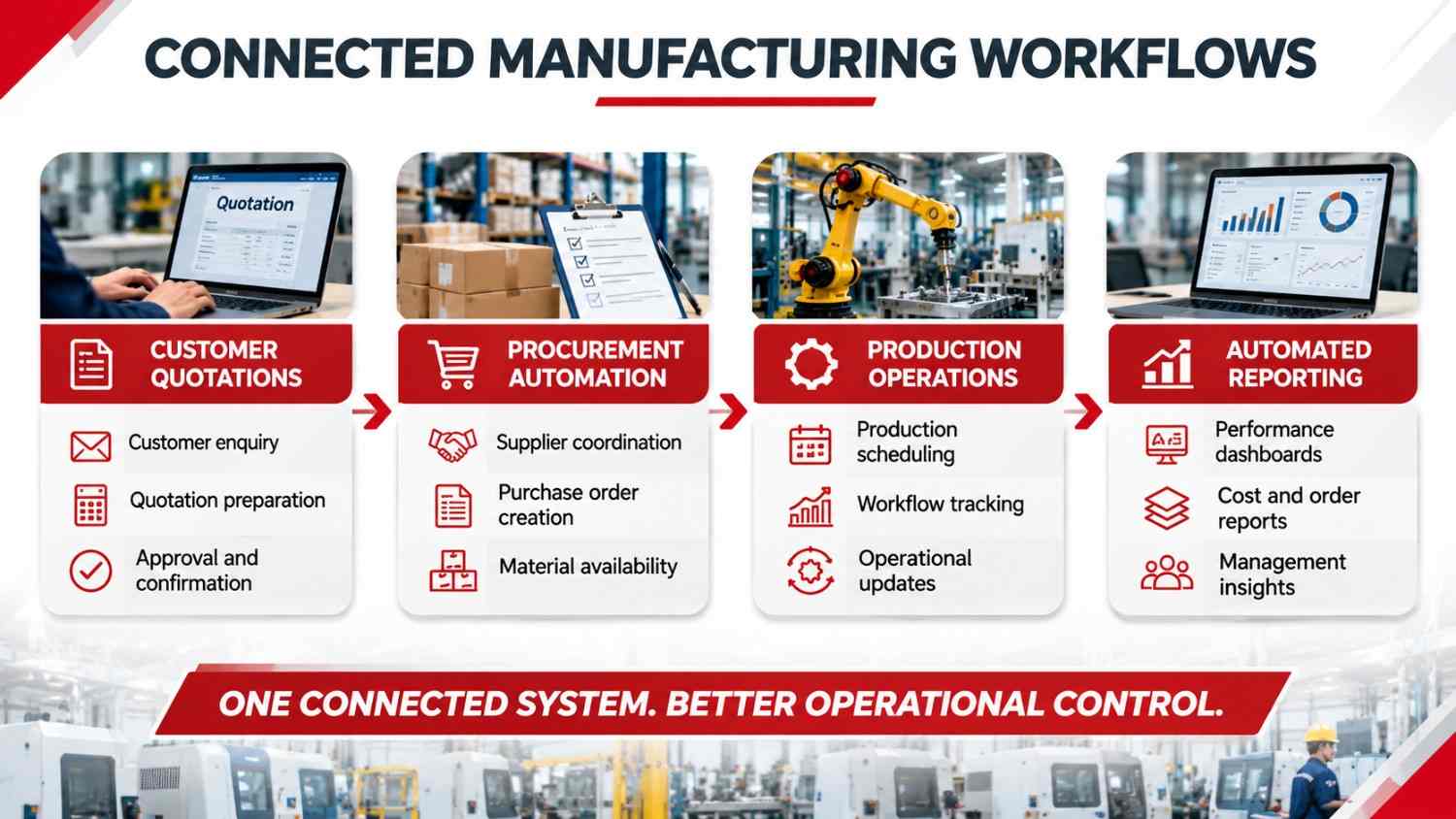
Automating individual activities can improve departmental efficiency. Connecting them creates an opportunity to improve the overall flow of business information.
Consider what happens when a customer accepts a quotation. The approved commercial information can support order processing and purchasing requirements. Procurement updates can then contribute to management reporting.
| Area | Without connected workflows | With connected workflows |
| Sales | Manually checks quotation status | Centralised tracking |
| Procurement | Re-enters purchasing information | Structured order information |
| Finance | Searches for documents | Organised purchasing records |
| Management | Collects separate reports | Consolidated information |
| Employees | Repeated follow-ups | Automated notifications |
Other important business benefits
Reduced repetitive administration: Employees spend less time copying information, preparing routine documents and sending reminders.
Improved process visibility: Managers can identify pending approvals and purchasing exceptions more easily.
Consistent documentation: Standardised templates and validation rules help reduce variations in business records.
Better departmental coordination: Teams can work with shared information rather than depending entirely on separate records.
Greater scalability: Structured workflows can support increasing business activity without requiring every additional task to be managed manually.
Results depend on process design, system compatibility, data quality and employee adoption. Automation should be measured against actual operational requirements.
Choosing the Right Technology for Manufacturing Workflow Automation
Not every manufacturer needs an entirely new software platform. The right technology depends on existing applications, business requirements and operational complexity.
A. ERP and CRM integration
ERP systems manage purchase, stock, financial and order information. CRM systems manage customer queries and sales.
By connecting these systems, duplication of data can be reduced. Data will also be shared between departments.
For instance, once a quote has been approved in a connected CRM system, relevant information can automatically transfer to the ERP system so that the order can be processed.
B. Custom industrial software
Standard applications may not accommodate every manufacturer’s requirements.
A machine builder may need a quotation system that considers equipment configurations, engineering specifications, component costs and customised approval rules.
Custom industrial software can support:
- Quotation management applications.
- Digital procurement portals.
- Supplier management platforms.
- Operational reporting dashboards.
- Internal workflow management systems.
- ERP, MES and accounting integrations.
Explore custom software engineering solutions for applications designed around specific business requirements.
C. AI-assisted document processing
AI can support workflows involving documents and unstructured information.
| AI capability | Manufacturing application |
| Document extraction | Extract invoice information |
| Intelligent classification | Categorise purchase requests |
| Information retrieval | Find technical document details |
| Data reconciliation | Identify potential discrepancies |
| Natural language processing | Interpret customer enquiries |
AI should be introduced where it offers a practical advantage over conventional automation.
For example, predefined rules can check invoice totals, while AI can extract information from invoices with different layouts. Human review remains important for uncertain or high-risk cases.
Manufacturers can also explore industrial AI solutions in Singapore to understand how AI knowledge assistants, document processing and operational intelligence can support connected manufacturing environments.
D. Integration and data security
Manufacturers should evaluate how new applications will connect with their existing infrastructure.
Important considerations include API availability, user permissions, encryption, audit trails, backup arrangements and deployment requirements.
The National Institute of Standards and Technology (NIST) discusses manufacturing data collection, management and reuse, which are important considerations when designing connected industrial applications.
How Singapore Manufacturers Can Approach Business Digitalisation
Singapore has a well established ecosystem in advanced manufacturing, which includes investment in robotics, industrial automation and connected production technologies.
The Singapore Economic Development Board reports on our advanced manufacturing base, technology environment and engineering skills. Check out the EDB advanced manufacturing report.
Digitalization also goes beyond factory floor equipment.
In 2026 February Enterprise Singapore and IMDA put forth an updated Food Manufacturing Industry Digital Plan which weaves in tech into food manufacturers’ processes. The plan which includes the digital transformation of routine tasks and better manufacturing operations.
Check out the IMDA’s update on the Food Manufacturing Industry Digital Plan.
For Singapore manufacturers a practical step is to start with processes which cause delay.
A business may begin with digitizing purchase orders and approval tracking which they may then expand into supplier communication, invoice processing and management reporting.
The goal is to solve a real operational issue not to implement technology for the sake of it.
How to Implement Manufacturing Workflow Automation Without Disrupting Operations
Successful automation requires more than selecting software. Manufacturers need to understand their existing processes and identify where technology can make a meaningful difference.
A phased implementation approach can simplify the transition.
Step 1: Map existing workflows
Document how quotations, procurement requests and reports are currently managed. Identify manual handovers, repeated activities and information gaps.
Step 2: Identify high-priority problems
Evaluate which tasks consume significant employee time, create delays or lead to avoidable errors. Start with a process that has a clear business need.
Step 3: Define automation requirements
Establish approval rules, user permissions, integration requirements and exception-handling procedures. Decide which activities should be automated and which require human approval.
Step 4: Develop and test the solution
Build the selected workflow and test it using realistic business scenarios. Check document accuracy, system communication and approval conditions before deployment.
Step 5: Train employees and deploy
Introduce the solution gradually and ensure employees understand how to use it. Practical training can prevent confusion during the transition.
Step 6: Measure and improve
Monitor processing time, pending tasks, error rates and employee feedback. Refine the system as business requirements change.
Important performance indicators
| KPI | What it measures |
| Quotation turnaround time | Time needed to prepare and approve quotations |
| Approval cycle time | Time required for internal approvals |
| Purchase order processing time | Time between request and order issuance |
| Supplier confirmation time | Time needed to receive acknowledgement |
| Invoice exception rate | Invoices requiring additional review |
| Report preparation time | Employee time spent preparing reports |
Establishing baseline measurements before implementation helps businesses evaluate whether automation is delivering the expected value.
How UAutomate AI Helps Manufacturers Build Connected Business Workflows
Manufacturers often require solutions that fit their engineering processes, existing applications and operational requirements. Standard applications may handle basic purchasing or reporting but might not support every customised workflow.
This is where UAutomate AI can support businesses as an engineering software and industrial automation partner.
Based in Singapore, UAutomate AI provides software engineering and technology solutions for industrial and business operations, including manufacturing software, industrial AI, business process automation and custom software engineering.
Custom workflow and business process automation
UAutomate AI helps businesses explore digital workflows for requests, document handling, approvals, notifications and reporting.
Potential applications include automated quotation approvals, digital purchase requisition management, procurement document processing, supplier status tracking and operational reporting dashboards.
Explore business process automation solutions to understand how connected workflows can support business operations.
Manufacturing software development
Different manufacturers have different operational requirements. A machine builder may need equipment-related software, while a manufacturing facility may prioritise production workflows, downtime information or maintenance records.
UAutomate AI’s manufacturing software solutions can support production workflow management, operational dashboards, data integration and maintenance tracking.
AI-powered industrial solutions
AI can extend automation capabilities by helping businesses process documents, retrieve information and analyse operational data.
Depending on project requirements, solutions may include document extraction, intelligent information retrieval and operational intelligence.
Explore industrial AI solutions to understand how AI-enabled software can support industrial operations.
Integration with existing business systems
Manufacturers do not necessarily need to replace their existing technology to improve workflow coordination.
UAutomate AI can assess integration requirements and develop software that connects supported applications, databases and operational systems.
The objective is to build software that supports how the manufacturer actually operates, rather than forcing employees to adapt to disconnected tools.
Frequently Asked Questions About Manufacturing Process Automation
1. What is manufacturing process automation?
Manufacturing process automation uses software and technology to streamline repetitive business and operational activities. It can include quotation generation, procurement approvals, supplier communication, document processing and reporting. The objective is to reduce manual work and improve information flow between departments.
2. How can manufacturers automate quotation management?
Manufacturers can use automated quotation systems to capture customer enquiries, retrieve product and pricing information, calculate costs using predefined rules and generate quotation documents. Approval routing and customer follow-up reminders can also be automated.
3. What is procurement automation in manufacturing?
Procurement automation uses software to manage purchasing activities such as purchase requisitions, approval workflows, purchase order generation, supplier notifications and invoice verification. It helps purchasing teams manage information more consistently.
4. Can manufacturers automate business processes without replacing their existing ERP systems?
Yes. Depending on the ERP system’s integration capabilities, manufacturers can develop additional applications and workflows that exchange information with existing software. APIs and other integration methods can connect business applications without necessarily replacing the ERP platform.
5. How does workflow automation help small and medium-sized manufacturers?
Workflow automation helps smaller manufacturers reduce repetitive administrative tasks, standardise approvals, improve document management and access operational information more easily. Businesses can begin with one high-priority process and expand gradually.
6. What is the difference between manufacturing automation and business process automation?
Manufacturing automation generally focuses on physical production activities, such as machinery, robotics and production equipment. Business process automation focuses on administrative activities, including purchasing, quotations, approvals and reporting. Both can complement each other.
Connect Your Manufacturing Workflows with Custom Automation Solutions
Manufacturing performance is a result of which of the production tools you have but also of the processes that support quotations, procurement, supplier interaction and reporting. Also see how these processes play a role in the performance of a business.
Disconnected sheets, manual sign off and repetitive document handling is an issue as your scale operations out.
With manufacturing process automation, businesses are able to integrate key workflows, improve information flow and reduce unnecessary admin tasks.
UAutomate AI helps manufacturers, machine builders and industrial businesses explore custom software, AI-enabled applications and workflow automation solutions designed around their operational requirements.
Looking to automate your manufacturing business processes?
Contact UAutomate AI to discuss your requirements and explore a practical software solution for your business.