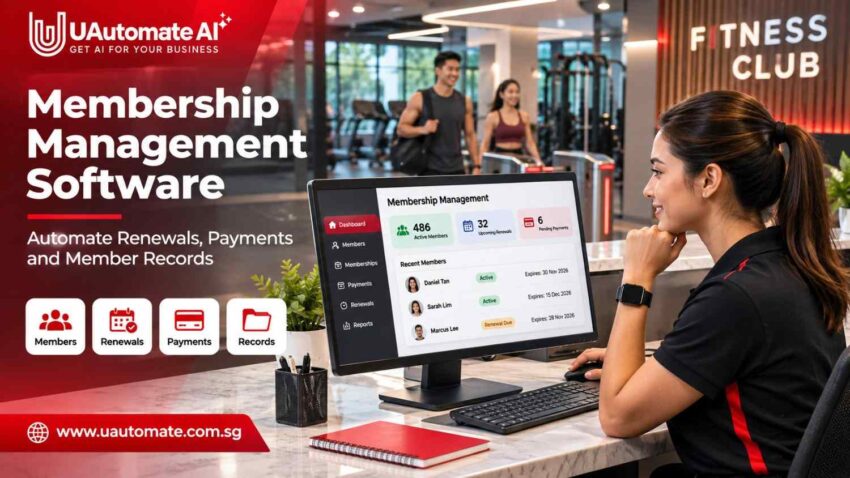
Running a fitness business is about more than just getting members in the door and putting on great classes. What we also see is that owners have to deal with customer info, plan management, collection of payments and renewal of memberships. When these are tracked in separate systems which may include spreadsheets, issues creep in which in turn affect the run of the business and the member experience.
This is what gym membership management software does for you. It provides fitness businesses a structured way to manage member details, membership periods, payment histories and customer activity. Instead of going through multiple files to answer a question, authorized staff can work from a single source of information.
For Singapore’s gyms, boutique studios, personal trainers and multi location operators we see the goal of managing the full membership lifecycle which goes from sign up and payment to plan changes and renewals.
The Real Cost of Poor Membership Administration
Consider a Singapore studio with 350 members, three packages and several trainers. Customer details, payments and attendance are recorded in different places, while employees manually check expiry dates and send reminders.
As membership grows, this process becomes harder to control. Payments may not be updated, expiry dates may be incorrect, or duplicate profiles may split a customer’s history.
| Operational problem | Possible business impact |
| Incorrect expiry dates | Reminders are sent too early or too late |
| Duplicate profiles | Payment and attendance histories become fragmented |
| Missing payment updates | Paid accounts may appear outstanding |
| Missed renewals | Memberships expire without follow-up |
| Inconsistent package details | Members may receive incorrect access or entitlements |
| Separate records | Staff spend time checking information across tools |
These issues are not always caused by employee carelessness. Often, staff are working with information that is stored in different places and updated at different times.
A centralised membership management system gives staff a consistent view of member accounts and helps owners track active plans, outstanding payments and upcoming renewals. It can also make handovers easier: when a receptionist or trainer is unavailable, another authorised employee can review the same account history instead of asking the member to repeat information.
What Should a Complete Gym Member Database Actually Contain?
A member profile should help staff understand each customer’s membership, payment and service history without searching through several files.
A well-organised gym member database may include:
| Record category | Information to maintain |
| Personal details | Name, phone number and email address |
| Membership information | Member ID, plan, start date and expiry date |
| Financial records | Payments, invoices, balances and receipts |
| Attendance | Check-in and participation history |
| Packages | Sessions purchased, used and remaining |
| Communication | Relevant notifications and follow-up history |
| Account status | Active, pending, frozen, expired or cancelled |
Maintaining accurate membership information
Accuracy is of the essence when many employees serve the same customer. If a member purchases a 6 month package and later upgrades we see staff working with different expiry dates or plan details in manual records.
A main record should display the present plan and status which at the same time preserves history, payment details and remaining credits. Also it should report when info was updated and in the case of which employee made the change. This which in turn creates accountability when staff have to look into a disputed payment or membership adjustment.
Preventing duplicate and incomplete records
Duplicate accounts can also cause issues. We see customers sign up with personal email addresses and then at a later date use a different one. If staff create a second account instead of updating the first, payment and attendance info may get split.
Look out for the same checks and go over out of date contact information, duplicate entries, inconsistent dates and incomplete payment histories before migration.
Membership Plans Should Reflect How Your Fitness Business Operates
Fitness businesses sell different plans: Gyms present subscriptions, Pilates studios class packages, and personal trainers’ fixed session bundles. Software should support the business’ actual pricing and service model.
Monthly, quarterly and annual memberships
Subscription plans should have defined start dates, billing periods and renewal dates. We see that a 12 month membership should have a set validity period and a public renewal date which in turn allows staff to identify active, expired and upcoming accounts.
Class packages and session-based memberships
For a 10 session package the system will track which sessions are purchased, which are completed, balance of remaining credits and the validity. Balances will follow the studio’s attendance and cancellation rules which may differ for each of the trainers’ client schedules.
Owners should see to it that package expiry rules, late cancellation charges and complimentary sessions are in line with what is stated in the policies.
Membership freezes, extensions and plan changes
Members may ask for freezes due to travel or personal issues. Staff to note the agreed upon period and to change expiry dates according to policy. For upgrades or downgrades, keep the old plan, the new plan, the effective date and any payment changes to avoid issues with access or charges.
How Automated Membership Renewals Improve Revenue Continuity
Renews support repeat business, but a notice by itself does not ensure a member will stay. What businesses need is a system to spot upcoming renewals, put forth clear info and make the payment process easy.
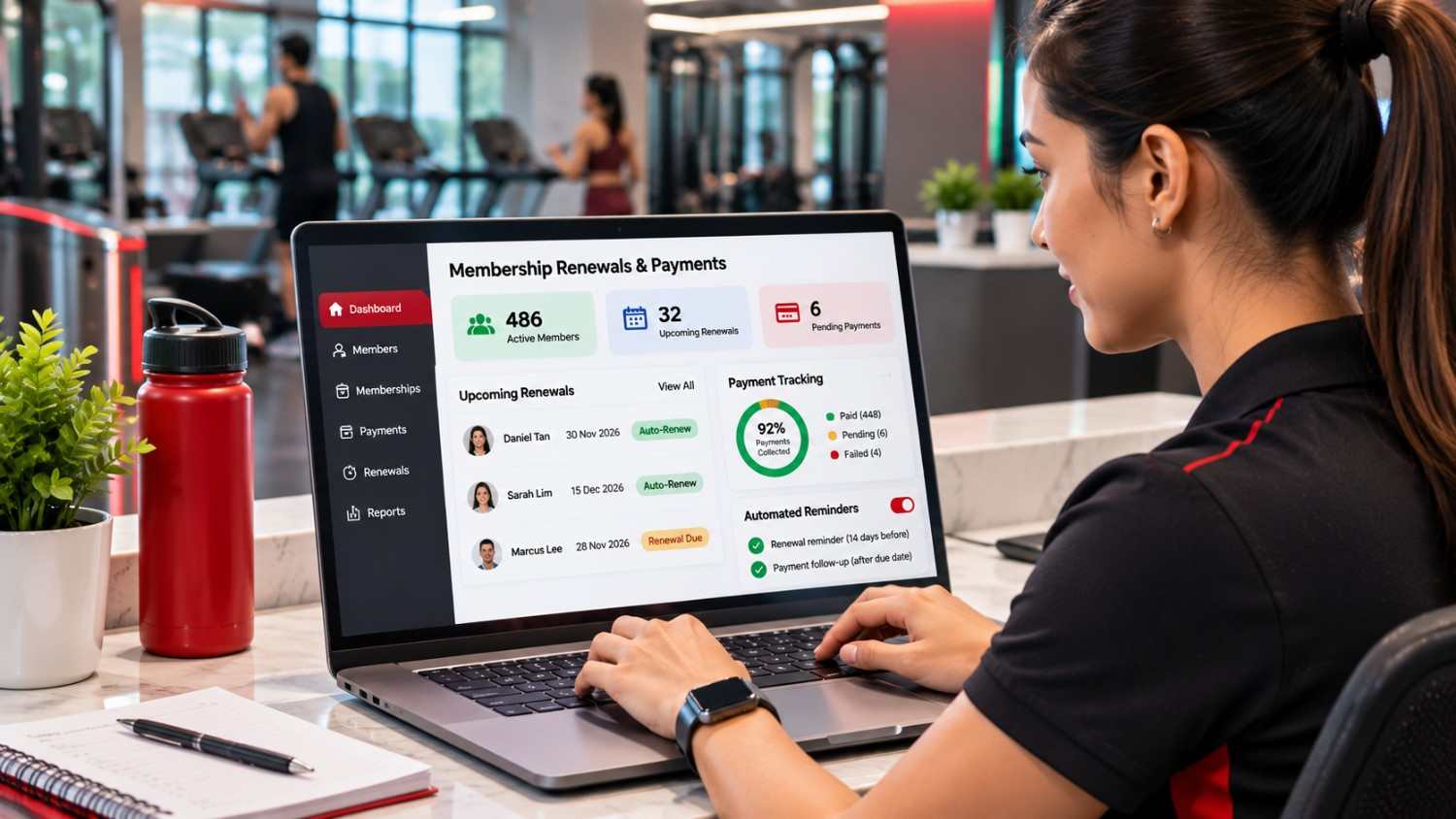
Suitable membership renewal software can support this process with scheduled notifications, account updates and follow-up tasks.
Create a renewal schedule that suits your business
A practical schedule might include:
| Timing | Suggested activity | Purpose |
| 14 days before expiry | Initial reminder | Give members time to review their plans |
| 7 days before expiry | Follow-up reminder | Encourage early renewal |
| On expiry date | Review account status | Identify accounts requiring action |
| 3 days after expiry | Follow-up message | Recover missed renewals |
| After the agreed grace period | Update membership status | Apply business policies |
Set reminder timings according to membership terms and how much notice members need.
Make renewal messages useful
A useful tip is to include the member’s name, current plan, expiry date, renewal amount, payment options and a contact method.
For example: For instance:.
Hi Daniel, your fitness membership will expire on 30 November. Go to our member application to see your present plan and renew. Also feel free to reach out to us if you are interested in other membership options.
Relevant notifications are more clear than generic alerts and we see that they reduce in to routine questions. Also companies should honor members’ communication choices and to the applicable consent rules which is very much when they are sending out promotional info separate from service related account updates.
Give personal attention where it is needed
Members have different needs. Regular attendees may only require a reminder, but those which have seen a drop in attendance or payment may benefit from a personal check in. Connected records give staff context without assuming the reason for a member’s leave.
Gym Payment Management: From Collection to Reconciliation
Collecting fees is a part of financial administration. Also businesses must identify what has been received, what is pending, and what is overdue. In effective gym payment management each transaction is put to the right member and plan.
Support suitable payment methods
Depending on the provider a Singapore fitness business may accept cards, PayNow, bank transfers, recurring card payments or online payment methods.
PayNow enables Singapore-dollar transfers through participating financial institutions. See the Association of Banks in Singapore. PayNow and recurring card deductions are different arrangements, so confirm which methods the provider supports.
Connect transactions with member accounts
When a customer pays in S$150 for a monthly membership the business should associate the payment with the right member, update the member status and to document the membership period. This also helps in not to update multiple files and makes it easier to look into payment queries.
Manage failed and pending payments
Payments can also fail due to expired cards, insufficient funds, or processing issues. The system should report on successful, failed and pending transactions, refunds and unpaid invoices. A failed transaction should be marked out as such instead of being treated as a completed renewal.
Give owners a clearer financial picture
Useful reports include collections, outstanding balances, failed transactions, revenue by plan and upcoming renewals. Owners should compare these reports to payment-provider and accounting records. Also they should look at how refunds, discounts, complimentary memberships and partial payments play out as these can affect the accuracy of revenue reports.
Singapore Considerations: Payment Records, GST and Member Data
Fitness businesses in Singapore should consider local financial and data-handling requirements when selecting membership software.
GST and membership billing
Singapore’s standard GST rate is 9%. GST registration may be required when taxable turnover exceeds S$1 million under the retrospective test or is expected to exceed S$1 million under the prospective test.
Check the detailed rules with IRAS – GST registration requirements. Software can organise billing records, but it does not by itself make a business GST-compliant. Confirm requirements with an accountant.
Protect member information under the PDPA
Membership records may contain contact details, attendance histories and payment information. Singapore’s Personal Data Protection Act (PDPA) sets obligations for organisations handling personal data.
The Personal Data Protection Commission provides guidance on consent, notification, purpose limitation, accuracy, protection and retention.
Ask whether access can be restricted by role, records protected, communication preferences managed and data corrected, exported or deleted. These controls matter when branches share information.
Use Membership Information to Improve Retention
A member database is more useful when it helps owners understand customer activity. Review membership numbers alongside attendance, bookings and communication history to see whether members are using their plans.
Notice changes in participation
If a regular member stops booking classes, it may reflect a schedule change, travel or reduced motivation—not necessarily an intention to cancel. The studio can check in and ask whether a different class or schedule would help.
A trainer or customer service employee can use this opportunity to understand the member’s situation and suggest an appropriate option. This is more constructive than waiting until the membership expires.
Understand renewal patterns
Historical records can show renewal activity by plan, packages that often expire without renewal and whether personal follow-ups are associated with stronger results. Use these observations to inform pricing and communication, not as proof of cause and effect.
Track useful membership indicators
| KPI | What it tells the business |
| Renewal rate | Share of eligible members who renew |
| Churn rate | Proportion of members who discontinue |
| Average membership duration | How long members remain active |
| Payment collection rate | Share of expected payments collected |
| Outstanding dues | Value of unpaid membership balances |
| Attendance frequency | How regularly members use the facility |
| Package utilisation | How purchased sessions or credits are used |
Fitness businesses offering individual coaching can also use personal training management software to manage client engagement, training schedules and session packages.
Managing Memberships Across Multiple Locations
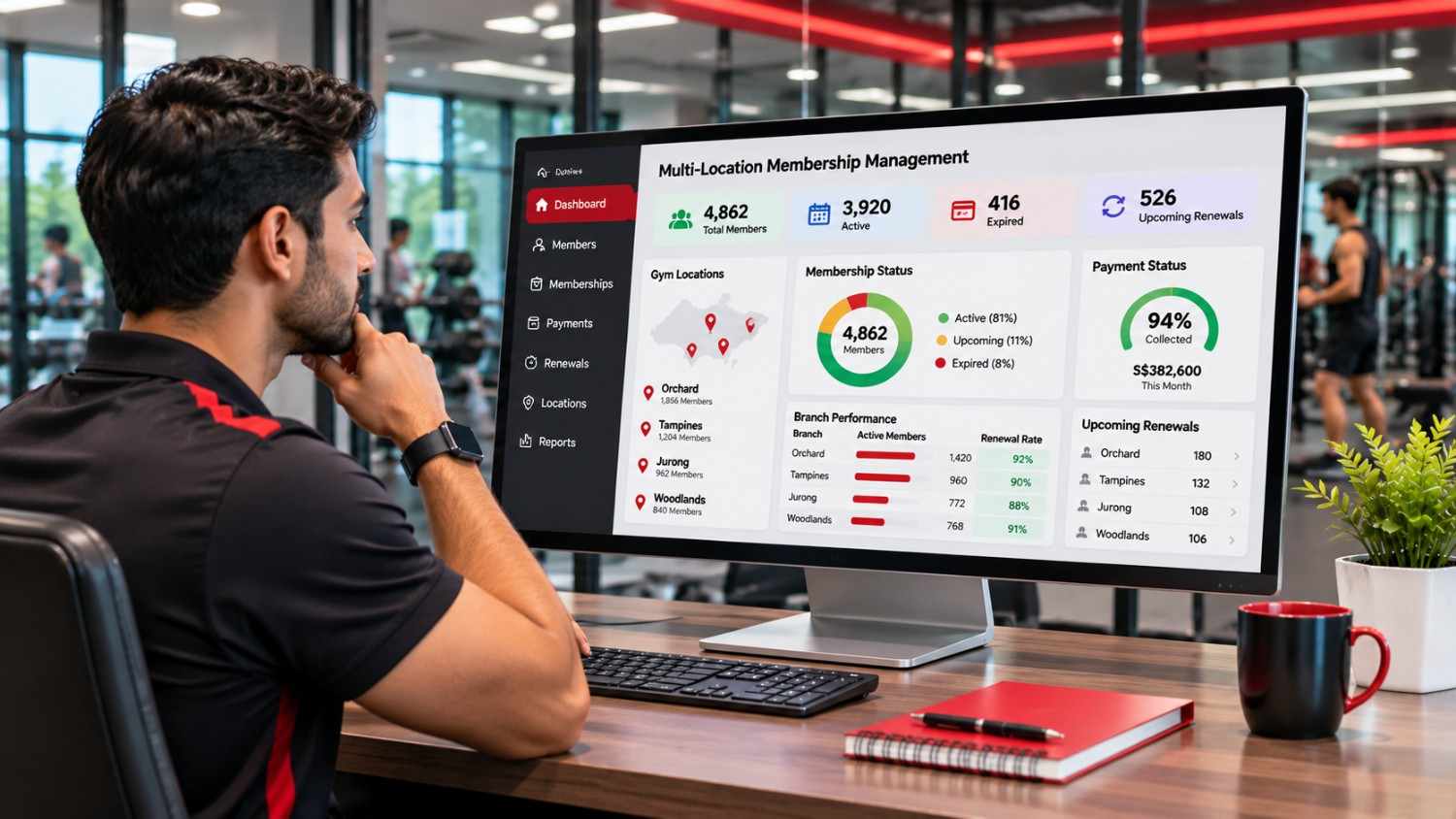
As a fitness business expands across locations such as Tampines, Jurong and Orchard, different teams may maintain separate records. A centralised system gives owners a shared view while allowing branch-level controls.
What multi-location management should support
Centralised customer profiles: Authorised employees should be able to view relevant member information across the business.
Branch-specific membership rules: Different locations may offer different facilities, operating hours or membership privileges. These conditions should be recorded clearly.
Cross-location access: If a membership allows customers to visit multiple branches, the system should reflect the agreed access permissions.
Consolidated reporting: Owners should be able to compare collections, outstanding payments and renewal activity across locations.
Controlled employee access: Branch employees should only access information required for their responsibilities.
These capabilities help businesses opening facilities or managing franchises. Before expanding, decide which membership rules should be consistent across branches and which can vary by location. See UAutomate AI’s guide to managing multiple gym locations.
What Should You Evaluate Before Investing in Membership Software?
Choose software according to your operating needs, not simply the number of advertised features.
| Selection area | What to check |
| Member database | Centralised profiles and membership history |
| Plan management | Monthly, annual and session-based packages |
| Renewal automation | Configurable reminders and status updates |
| Payment management | Transaction records and failed-payment handling |
| Membership flexibility | Freezes, extensions and plan changes |
| Reporting | Revenue, renewals, dues and member activity |
| Member application | Access to account and membership information |
| Staff permissions | Role-based access to business records |
| Integrations | Payment gateways and communication tools |
| Scalability | Support for more members and locations |
Questions to ask during a demonstration
During a demonstration, ask the provider to show member registration, plan assignment, membership freezes, revised expiry dates and failed-payment handling. Check whether members can view their accounts, branches can share a database and spreadsheet records can be imported.
Also ask about data protection, support, onboarding and data export. Clarify who will configure membership plans, train employees and resolve technical issues after launch. A platform may have useful features, but the implementation process matters just as much to a busy fitness business.
Consider subscription charges, gateway fees, onboarding, migration, integrations and maintenance. If existing platforms cannot meet your needs, explore custom gym management software development.
How UAutomate AI Connects Membership Management With the Wider Fitness Business
A fitness business needs a connected environment for members, trainers, administrators and owners. UAutomate AI offers AI fitness applications that bring together branded mobile apps, client management, coach interactions, membership functions and business intelligence.
A. Digital membership management
UAutomate AI highlights digital membership cards, barcode-based passes, membership visibility, deduction history, renewal management and attendance features to help members and staff access account information.
B. Branded applications for members and coaches
A branded application gives a fitness business a digital channel under its own identity. Depending on scope, it may include onboarding, membership details, session schedules, workout plans and coach communication. Confirm specific features during project scoping.
C. AI-enabled insights and engagement
UAutomate AI also highlights AI-assisted profile analysis, progress tracking and personalised recommendations. For example, declining attendance alongside an upcoming expiry could prompt a staff check-in. These insights should support human judgement, not predict cancellation with certainty.
D. Integration with wider fitness operations
The offering also highlights integrations involving communication tools, payment infrastructure, fitness data and connected equipment. Linking payments, attendance and package deductions can reduce duplicate administration and improve operational visibility.
E. Solutions for different fitness business models
UAutomate AI serves varied fitness models, including personal training, HIIT, group studios, MMA and boxing, yoga, Pilates, CrossFit, 24/7 gyms and corporate fitness. The configuration should reflect each operator’s membership structure and customer journey.
Businesses can explore how to launch a branded gym app or UAutomate AI’s guide to gym booking and payment software. The goal is a connected operating system, not another standalone tool. During a demonstration, operators should explain their current processes and ask how the proposed solution would handle them. This makes it easier to assess whether the platform is a genuine fit rather than choosing based on a feature list alone.
Frequently Asked Questions
1. What is gym membership management software?
It helps fitness businesses manage member profiles, plans, payments, renewals and account statuses, with possible attendance and reporting features.
2. How does a membership management system help gym owners?
It centralises member information and helps owners review active plans, renewals, payment statuses and outstanding balances.
3. Can gym software automatically renew memberships?
Some platforms support scheduled billing through compatible providers, with status updates and notifications. Customer permissions and agreements are essential.
4. What information should a gym member database contain?
It should include contact details, plans, dates, payment and attendance history, package balances and account status, with controlled staff access.
5. How can gyms reduce missed membership renewals?
Use reminders, expiry reports and follow-up tasks. Attendance and engagement records can help staff identify members who may need a personal check-in.
6. Can membership software support PayNow payments in Singapore?
Some platforms support PayNow through compatible providers, but this does not necessarily include recurring debits. Confirm payment and reconciliation features before buying.
7. Is membership management software suitable for small fitness studios?
Yes. It can organise member details, package balances, payments and renewals. Choose a solution that fits the studio’s size and future plans.
8. Can membership software integrate with a branded fitness application?
Yes, if supported by the platform. Members may access membership details, digital passes, bookings and payments through the connected app.
Build a More Connected Membership Management Experience
As a fitness business scales up, we see the value in having accurate information on members, plans, payments and renewals. Gym membership management software which also acts as a management tool can put all of that in one place and also gives owners a better report into member accounts.
UAutomate AI for Singapore fitness businesses which has developed branded applications and connected operating systems that we have tailored to their needs.
Ready to modernise your fitness business?
Contact UAutomate AI to talk through your membership workflows, check out our branded fitness application and we can arrange a demo of a connected fitness solution.