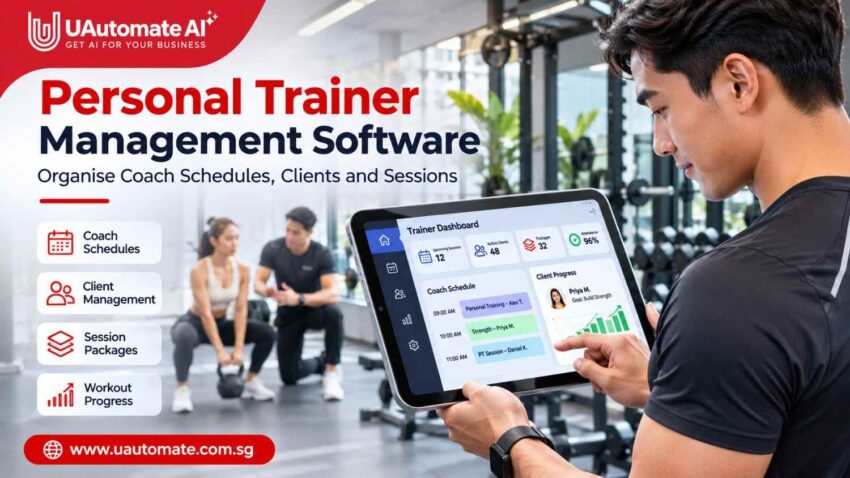
Personal training businesses thrive on the relationships between coaches and clients. However behind every successful training session is a great deal of planning. Trainers have to manage appointments, put together workout programs, update client records, track which sessions we did and follow up on progress.
When a trainer has a few clients that are doable with a calendar, spreadsheet and messaging app. But as the business grows the organization becomes more difficult. Bookings may be missed, we may have two clients that request the same time and a studio manager may have trouble telling which coach is available.
This is what personal trainer management software does. It brings together schedules, client info and session records into one integrated system which in turn allows trainers and fitness businesses to spend less time on admin and more time with their clients.
In Singapore the aim for fitness businesses is not to just go online with bookings. It is to develop a workable system that serves independent trainers, fitness studios and growing gym businesses.
The Real Challenge Is Not Booking a Session. It Is Managing Everything Around It.
In a personal training studio we have four coaches and 80 active clients. Each trainer has their own set of working hours, speciality areas and appointment preferences. Some clients prefer to train in the morning, while others only are available after work.
The studio also has to deal with repeat appointments, package balances, cancellations and client progress.
When we use separate tools for these tasks what we see is information which is hard to manage. A booking may show up in the calendar, the client’s package balance is tracked in Excel, and workout notes may be in a WhatsApp chat.
These may not be the issues that these tools are in fact ineffective. It is that they do not always work in tandem.
| Daily activity | What the business needs to manage |
| Client enquiry | Contact details, goals and preferred training times |
| Coach allocation | Trainer availability, specialisation and assignment |
| Session booking | Date, duration, location and confirmation |
| Workout preparation | Programme, exercise modifications and previous performance |
| Session completion | Attendance, notes and package credits |
| Follow-up | Progress review, missed appointments and renewals |
A connected system helps keep these activities organised. When a booking changes, the relevant schedule can be updated. When a session is completed, the training record can reflect that activity.
This creates a more dependable process for both the client and the business.
1. Build a Coach Availability System That Reflects Real Working Hours
A trainer’s calendar should show more than whether they appear free at a particular time.
A coach might finish a session at 10 AM but need additional time to prepare for the next client, travel to another location or complete a short break. If the calendar does not account for these requirements, the studio may offer appointments that are difficult to deliver.
Define availability before opening bookings
A practical availability system should distinguish between regular working hours and the time a coach can actually accept appointments.
Consider the following information:
- Regular working hours and days off.
- Available appointment slots.
- Confirmed sessions and recurring bookings.
- Breaks and preparation time.
- Travel time between locations.
- Temporary schedule changes or approved leave.
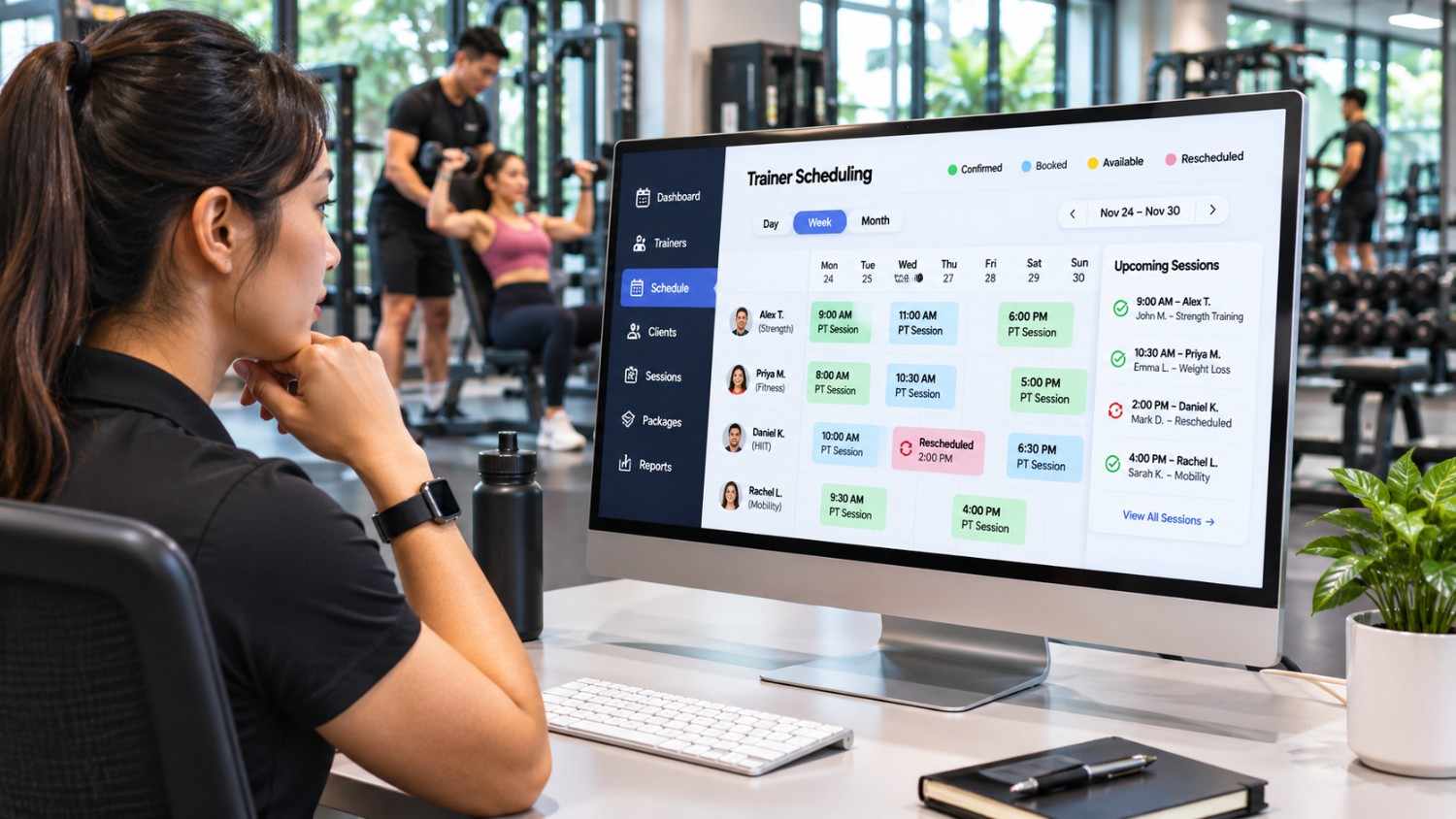
| Coach | Session | Buffer | Next available |
| Coach A | 9:00–10:00 AM | 15 minutes | 10:15 AM |
| Coach B | 10:00–11:00 AM | 30 minutes | 11:30 AM |
| Coach C | 6:00–7:00 PM | 15 minutes | 7:15 PM |
These are illustrative schedules. The right buffer depends on the trainer’s working arrangement and the studio’s operating requirements.
Use scheduling rules instead of manual checking
Personal training schedule software which businesses use to manage appointment length, availability and booking limits.
A properly designed system should avoid overlap in appointments and will make unavailable times clear to admins and users.
This is true in a situation where many trainers share the same studio or when coaches have different locations.
Instead of going to each trainer to check their availability the administrator can look at a shared schedule which will have the latest information.
2. Coordinate Client Bookings Without Constant WhatsApp Follow-Ups
WhatsApp is a convenient platform for client communication. It is the place where clients ask about availability, request changes to the program or confirm their preferred training time.
Also a conversation does not always translate to a definite booking. A client may put forth a date at one time and then change it at a later date and think that the trainer has updated the calendar.
If at the end the agreement is not recorded properly both parties may leave with different expectations.
Create one confirmed booking record
A structured booking procedure which will clarify what constitutes a confirmed appointment.
The client puts forth a time which works for them, the system checks the coach’s availability and once confirmed in accordance with the studio’s booking policy the appointment is held. The session is then added to the relevant schedules.
Any rescheduling should modify the original booking instead of creating confusion between many appointment entries.
The business may still use WhatsApp for messages, but the confirmed appointment should be in the management system.
Manage recurring sessions
Many of my personal training clients are the same each week. I find it repetitive to create individual appointments for each of them, especially when I have many regulars.
Recurrent booking feature which also maintains these schedules with minimal manual work.
However also included in the calculation trainer leave, public holidays, package expiry and changes in client availability.
For a broader look at appointment workflows, explore UAutomate AI’s gym booking software guide.
3. Manage the Complete Session Lifecycle
A personal training session is a dynamic event which goes beyond the end of the scheduled appointment.
In each session there is a preparation stage, a training stage and a follow up stage. By keeping these the same trainers are able to present a more consistent experience.
Before the session
The trainer must go over the info which is required for client preparation.
This may include what the client’s present goal is, which workout program they have been assigned, notes from previous sessions, any relevant exercise modifications and balance of package credits.
Having that information prior to the appointment the trainer doesn’t have to go through old messages or ask the client to repeat things.
During the session
The coach logs in to put down what is relevant such as which exercises were done, reps, resistance used, performance notes and changes.
Trainers should have a practical solution. They should not have to spend the entire session on data entry.
A basic and consistent record is what we see as more useful than a complex form which staff in fact don’t use.
After the session
Once the appointment is complete the trainer or authorized staff member should update it’s status.
The completed session will also include attendance, package deductions, training history and follow-up activities.
A practical session management workflow
| Step | Activity | Information to update |
| 1 | Client requests an appointment | Preferred date and time |
| 2 | Coach availability is checked | Available slot and trainer assignment |
| 3 | Booking is confirmed | Appointment details and notification |
| 4 | Trainer prepares for the session | Client profile and workout plan |
| 5 | Training session takes place | Exercise and performance notes |
| 6 | Session is completed | Attendance and session status |
| 7 | Package record is updated | Remaining session credits |
| 8 | Follow-up is planned | Next appointment or progress review |
This step-by-step process is suitable for a WordPress article and gives readers a clear understanding of how session management works without relying on a flowchart.
4. Keep Client Records Useful, Consistent and Accessible
Client records should do more than store names and phone numbers. They should help trainers understand the person they are working with and provide continuity between sessions.
A trainer may need to remember a client’s preferred training time, current goals, previous workout performance and any relevant modifications to the programme.
What should a client profile contain?
| Record category | Example information |
| Basic details | Name and contact information |
| Training goals | Strength, general fitness or mobility |
| Coach assignment | Primary trainer and approved substitute |
| Schedule | Preferred days and appointment history |
| Programme | Workout plan and relevant modifications |
| Session history | Completed sessions and notes |
| Package information | Purchased and remaining sessions |
| Progress | Relevant assessments and milestones |
The business should collect only the information it needs to provide its services and manage its operations.
For example, a trainer working with a client on strength development may need to review previous training loads and exercise performance. A studio may also need attendance and package records for administrative purposes.
Make client handovers easier
Occasionally clients will require cover coaching due to a variety of reasons; such as time off, time re-allocations or a change in trainer.
If there is no record-keeping system in place, the cover coach will not automatically be aware of a client’s progress. Clients may therefore need to re-share their objectives and re-cap on past sessions.
An organised process can enable a cover coach to receive key data regarding a client, including their objectives, session notes, programme and future training plans.
Coach management software can then facilitate this by linking a client’s profile to their trainer and session history.
For a closer look at organising client profiles and trainer assignments, read our guide to managing PT clients and coaches.

5. Balance Trainer Workloads Across the Studio
A fully booked calendar does not always mean a studio is operating efficiently.
One coach may have consecutive sessions throughout the day, while another has several empty hours. Some trainers may be assigned more clients than others, even when their availability is similar.
Business owners need to understand how available coaching time is being used.
Understand the difference between availability and utilisation
Availability refers to the time a coach is open for bookings.
Utilisation measures how much of that available time is used for training sessions.
| Metric | Coach A | Coach B |
| Available hours per week | 30 | 25 |
| Completed training hours | 24 | 12 |
| Utilisation | 80% | 48% |
Coach utilisation = Completed training hours ÷ Available coaching hours × 100
These figures are examples, not industry benchmarks.
Utilisation can help identify scheduling opportunities, but it should not be the only measure of trainer performance. Coaches also need time for preparation, client communication, professional development and appropriate breaks.
Identify patterns instead of relying on assumptions
A connected scheduling system can help owners review which time slots are popular, which coaches have unused availability and whether certain appointment durations are difficult to schedule.
It can also highlight recurring rescheduling patterns or demand concentrated around particular days.
For example, if evening appointments are consistently full, the studio may consider adjusting coach availability or offering additional sessions during that period.
The purpose is to make better decisions using actual business information rather than relying only on assumptions.
For businesses expanding beyond one location, read how gym owners can manage multiple gym branches from one platform while maintaining operational visibility.
6. Track Session Packages Without Confusion
Personal training businesses often sell packages containing a fixed number of sessions.
When package balances are maintained manually, mistakes can happen after cancellations, rescheduling or trainer substitutions.
A structured system should connect each package to the relevant client and completed sessions.
Example: 12-session personal training package
| Package detail | Example |
| Purchased sessions | 12 |
| Completed sessions | 8 |
| Remaining sessions | 4 |
| Package status | Active |
| Renewal follow-up | Review when balance reaches agreed threshold |
The system should follow the studio’s actual package rules.
For example, a late cancellation may count as a used session under the agreed policy, while an approved reschedule may not.
These rules should be explained clearly before clients purchase a package.
Create renewal visibility
A trainer should not have to calculate every client’s remaining balance at the end of the month.
A connected package record can help identify clients who are approaching the end of their sessions.
The studio can then arrange a progress review or renewal conversation at an appropriate time.
This helps clients understand their training progress and gives the business a more organised approach to renewals.
For more information about membership and renewal workflows, read UAutomate AI’s fitness studio management software guide.
7. Handle Rescheduling, Cancellations and Substitute Coaches Properly
Schedule changes are a normal part of personal training.
A client may need to move an appointment, a coach may become unavailable or the studio may need to change the training location.
The important question is whether the business can manage these changes without creating confusion.
| Situation | Recommended system response |
| Client requests a new time | Check available slots and update the booking |
| Coach becomes unavailable | Identify affected appointments |
| Substitute trainer is assigned | Update coach assignment and notify client |
| Session is cancelled | Record cancellation and package treatment |
| Appointment is moved | Preserve the booking history |
| Client does not attend | Record attendance according to policy |
A reliable system should maintain a clear record of the final appointment instead of leaving conflicting entries in different calendars.
Use a consistent cancellation policy
The studio should define its cancellation window, late-cancellation rules, package-credit treatment and notification process.
Clients should be able to understand these policies before purchasing a package or confirming a booking.
Software can help apply the rules consistently, but the business remains responsible for ensuring that the policy is fair and clearly communicated.
8. Protect Client Information While Improving Access
Personal training businesses may collect contact details, fitness goals, attendance records and other information provided by clients.
Some fitness records may contain sensitive personal information. Businesses should therefore consider who needs access to each type of record.
Singapore’s Personal Data Protection Act requires organisations to make reasonable security arrangements to protect personal data in their possession or under their control.
The Singapore Personal Data Protection Commission explains these obligations in its Advisory Guidelines on Key Concepts in the PDPA.
Fitness businesses should understand their responsibilities when collecting and managing client information. The PDPC provides Singapore’s PDPA data protection guidelines, including guidance on protecting personal data and handling it appropriately.
Practical considerations for fitness studios
When evaluating a platform, consider whether it supports individual staff accounts, appropriate access permissions, secure handling of client records and suitable data retention practices.
The business should also review data export options, backup arrangements and procedures for removing access when a staff member leaves.
For example, a trainer may need access to their assigned clients’ workout history, while an administrator may need to manage appointments and package records.
The studio should maintain a suitable privacy notice, consent process and internal data-handling policies.
9. What Should a Personal Trainer Management Platform Include?
Not every fitness business needs the same software.
An independent trainer may require a simple system for appointments and client records. A studio with multiple coaches may need shared schedules, client assignments and management reporting.
The following checklist can help businesses compare different platforms.
| Capability | Why it matters |
| Client profiles | Keeps relevant client information organised |
| Coach calendars | Shows availability and confirmed appointments |
| Booking management | Supports confirmations and rescheduling |
| Recurring appointments | Reduces repetitive booking administration |
| Session records | Maintains training and attendance history |
| Package tracking | Shows remaining session credits |
| Coach assignments | Helps coordinate multiple trainers |
| Progress tracking | Supports training reviews |
| Notifications | Helps communicate booking changes |
| Reporting | Gives owners visibility into operations |
| Mobile access | Supports trainers and clients on the move |
| Customisation | Allows workflows to match the business model |
When comparing software, businesses should also consider implementation, staff training, data migration, integrations and ongoing support.
The best solution is not necessarily the one with the longest feature list. It is the one that fits the way the business actually operates.
How UAutomate AI Can Support Connected Personal Training Operations
UAutomate AI has a fitness platform that includes an AI based fitness operating system, branded mobile apps, and connected digital experiences for our clients, coaches and fitness business.
Its AI fitness applications section includes features like client onboarding, personalized fitness plans, session booking, coach client communication, reminders, membership management, progress tracking and AI assisted insights.
For personal training businesses we see these as tools to create a more connected experience for client and coach.
1. Branded mobile applications for clients and coaches
A fitness business may develop a digital platform under which its own brand sits which in turn gives access to relevant fitness services via a consistent mobile experience.
Based on the solution chosen that may include session schedules, workout plans, client info, communication and progress records.
A brand’s app can present a consistent digital experience which also supports the business’ operating model.
2. Connected coach and client communication
UAutomate AI’s fitness platform features coach to client communication, session management, booking requests, rescheduling and reminders.
These are features which can do away with the need to have separate conversations for each appointment.
In a personal training setting the value is in the connection between communication and session notes.
3. Fitness business workflows designed around operational requirements
Different studios have different requirements.
A personal training studio may focus on individual sessions, client programs and package credits. A multi location gym may require a wider range of scheduling, membership and management visibility.
UAutomate AI’s custom software engineering and fitness application solutions are for businesses that wish to discuss workflows which best meet their needs.
The exact features, integrations and implementation scope should be confirmed during the project consultation.
4. AI-assisted insights for business decisions
Fitness businesses produce data from bookings, attendance, client engagement and package activity.
Analytics and in some cases AI assisted insights which in turn help management review trends and identify which areas may require attention.
For instance a studio may look at low attendance periods, coach availability, or clients that have not booked their next session.
These results may inform business decisions but they should be used in conjunction with trainer feedback and client context.
5. A connected operating system rather than isolated tools
UAutomate AI’s into greater detail what we are doing is to integrate various elements of fitness into a single digital platform.
For companies that are developing a branded fitness application this may include products like client facing mobile apps, coach workflows and administrative functions.
Learn more about launching a branded fitness app without building one from scratch and how a connected fitness platform can support business operations.
Frequently Asked Questions
1. What is personal trainer management software?
Personal trainer management software is a digital platform that helps trainers and fitness studios organise client profiles, coach schedules, bookings, session records and other training operations. Depending on the platform, it may also include workout planning, package tracking and progress reporting.
2. How does personal trainer scheduling software help a fitness studio?
It helps studios manage trainer availability, confirmed appointments, recurring sessions and schedule changes. A shared scheduling system can reduce booking conflicts and make it easier for administrators to coordinate multiple coaches.
3. Can personal trainer software manage multiple coaches?
Yes. Platforms designed for multi-coach operations can support individual trainer calendars, client assignments, shared records and management visibility. The available capabilities depend on the software and its configuration.
4. Can a personal training management system track session packages?
A system with package management functionality can record purchased sessions, completed appointments and remaining credits. It should also follow the studio’s cancellation and rescheduling rules.
5. Is coach management software suitable for independent trainers?
Yes. Independent trainers can use it to organise client information, appointments, training records and follow-up activities. They should choose a solution that matches their client volume and business requirements.
6. What is the difference between personal trainer software and gym management software?
Personal trainer software usually focuses on coaching operations, client relationships, workout programmes and individual sessions. Gym management software may also include memberships, group classes, payments, attendance and facility administration.
7. Can personal trainer management software improve client retention?
It can support retention by helping businesses maintain consistent communication, organised training records, timely follow-ups and clearer visibility into package renewals. Retention also depends on coaching quality, client experience and the value of the service.
8. How should a Singapore fitness studio choose a management platform?
A studio should assess its scheduling requirements, client records, package workflows, coach assignments, integrations, data protection practices and future growth plans. It should also review whether the platform can support its preferred client experience and branded application requirements.
Organise Your Coaches, Clients and Sessions With a Connected Fitness Solution
Running a personal training business is about more than just filling in the appointment times. We see to it that trainers have reliable schedules, useful client records and detailed session histories. As for studio owners we give you visibility into coach availability, client activity and the performance of the business.
The right personal trainer management software can do that, it will help fitness businesses out with their daily operations and also create a more consistent client experience.
In Singapore for personal trainers, fitness studios and gym operators a connected fitness platform is a practical base for managing clients, coaches and sessions as the business grows.
UAutomate AI provides branded fitness applications and connected software which is a great resource for fitness businesses as they plan out their digital strategy.
Ready to take on your personal training challenges?
Contact UAutomate AI to talk through your fitness business needs and we have a connected fitness management solution which we will tailor to your clients, coaches and daily workflows.