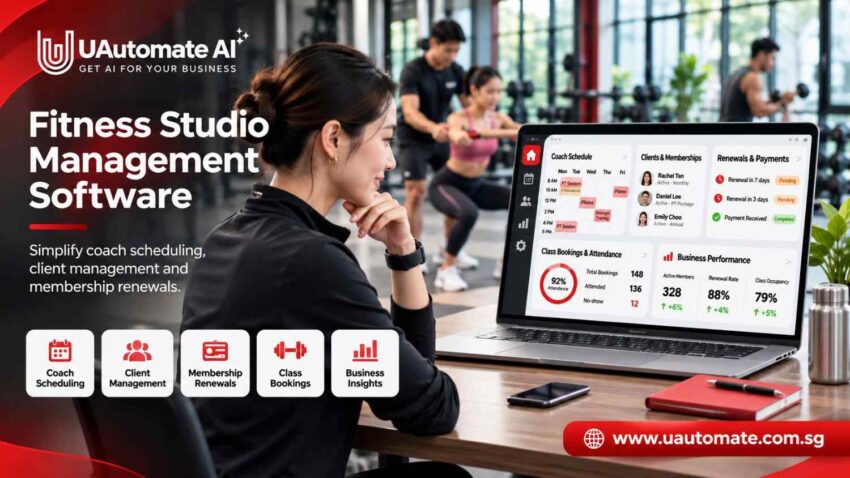
Running a fitness studio is more than just putting on classes and helping clients reach their goals. What owners do is put together the coach schedules, manage client information, run the membership side of things and see to it that payments and renewals are done on time. For the growing fitness business, fitness studio management software in Singapore is a practical solution which brings all of that into one place. Instead of using separate spreadsheets, calendars and communication apps, businesses can manage it all through a single digital platform.
As we scale up the number of clients and coaches we see greater issues with organization. We see missed updates, scheduling conflicts, and delayed renewal reminders which in turn affect staff performance and member experience.
Fitness software’s true value goes past booking automation. It includes coach scheduling, client management and membership renewals which in turn presents businesses with a more organized experience.
This guide goes over how fitness studios in Singapore can improve their operations, what to put into consideration when choosing software and how UAutomate AI can support a connected fitness business.
The Hidden Operational Challenges Behind Running a Fitness Studio
A fitness studio may have great trainers, excellent programs and dedicated clients but as the business grows the daily operations can still become a complex issue.
In Singapore a boutique fitness studio which offers yoga, Pilates, strength training and personal training. The receptionist uses WhatsApp for bookings, coaches keep to individual calendars, and the owner uses spreadsheets for payments.
Each tool has a role, but at the same time it takes time to keep them all current.
Managing multiple coaches and changing schedules
Each coach has a different set of work hours, specializations and availability. When schedules are kept separate administrators have a hard time identifying available trainers, preventing overlapping appointments or arranging for substitutes.
For instance a client books in for a personal training session at 6 PM. The receptionist confirms the appointment for them without first checking the trainer’s updated calendar which they later find out has another commitment.
A scheduling which is shared by all staff teams gives better visibility and which also makes coordination easier.
Client information scattered across different platforms
Fitness businesses collect data throughout the member journey, including:
- Contact and registration details.
- Fitness goals and training preferences.
- Membership and package information.
- Workout plans and progress records.
- Attendance and appointment history.
- Communication and follow-up records.
When these details are stored separately, coaches may not have a complete picture of a client’s progress. Centralised records make it easier to maintain consistent service.
Missed membership renewals and payment follow-ups
A client may leave a monthly membership, use up the last of a training package’s sessions or forget to renew their subscription.
When it is left up to staff to remember expiry dates issues of delayed follow-ups present. Also this creates extra admin work and we see many members’ opportunities to renew membership pass us by.
Limited visibility into studio performance
Without proper records owners may have trouble identifying underused classes, inactive members, available coaching hours and upcoming membership expiries.
As it goes beyond what is put on a to do list. It is in the connection of different business elements as the studio grows.
How a Connected Studio Management System Brings Daily Operations Together
A studio management system which is connected does in fact serve as a central point for handling important operational information.
Instead of separate records for bookings, attendance, memberships and client details what businesses can do is to put together individual client profiles.
One dashboard for coaches, clients and administrators
Different people within a fitness business need access to different information.
| User | Information required | Purpose |
| Studio owner | Membership activity and reports | Monitor performance |
| Administrator | Bookings, payments and client records | Coordinate operations |
| Coach | Assigned clients and sessions | Manage training |
| Client | Classes and membership details | Manage their fitness experience |
This arrangement helps everyone access relevant information without repeatedly requesting updates from other staff members.
Centralised scheduling and membership information
Consider a client who purchases eight personal training sessions. The studio needs to know the assigned coach, booked appointments, completed sessions and remaining credits.
A centralised record could look like this:
| Client record | Example information |
| Membership | Eight-session PT package |
| Assigned coach | Coach A |
| Sessions purchased | 8 |
| Sessions completed | 5 |
| Remaining sessions | 3 |
| Package status | Active |
These figures are illustrative. Session deductions should follow the studio’s cancellation and attendance policies.
How connected studio operations work
A client’s journey involves several activities, from registration to renewal.
| Stage | Activity | Record to update |
| 1 | Registration | Client profile |
| 2 | Membership selection | Plan and duration |
| 3 | Payment | Payment status |
| 4 | Activation | Membership status |
| 5 | Booking | Coach and appointment |
| 6 | Attendance | Session history |
| 7 | Progress review | Training records |
| 8 | Renewal | Expiry and renewal status |
Organising these stages together reduces the need to search across different platforms.
Explore gym booking and payment software for more information about connecting bookings, attendance and collections.
Smarter Coach Scheduling: Manage Availability, Classes and Training Sessions
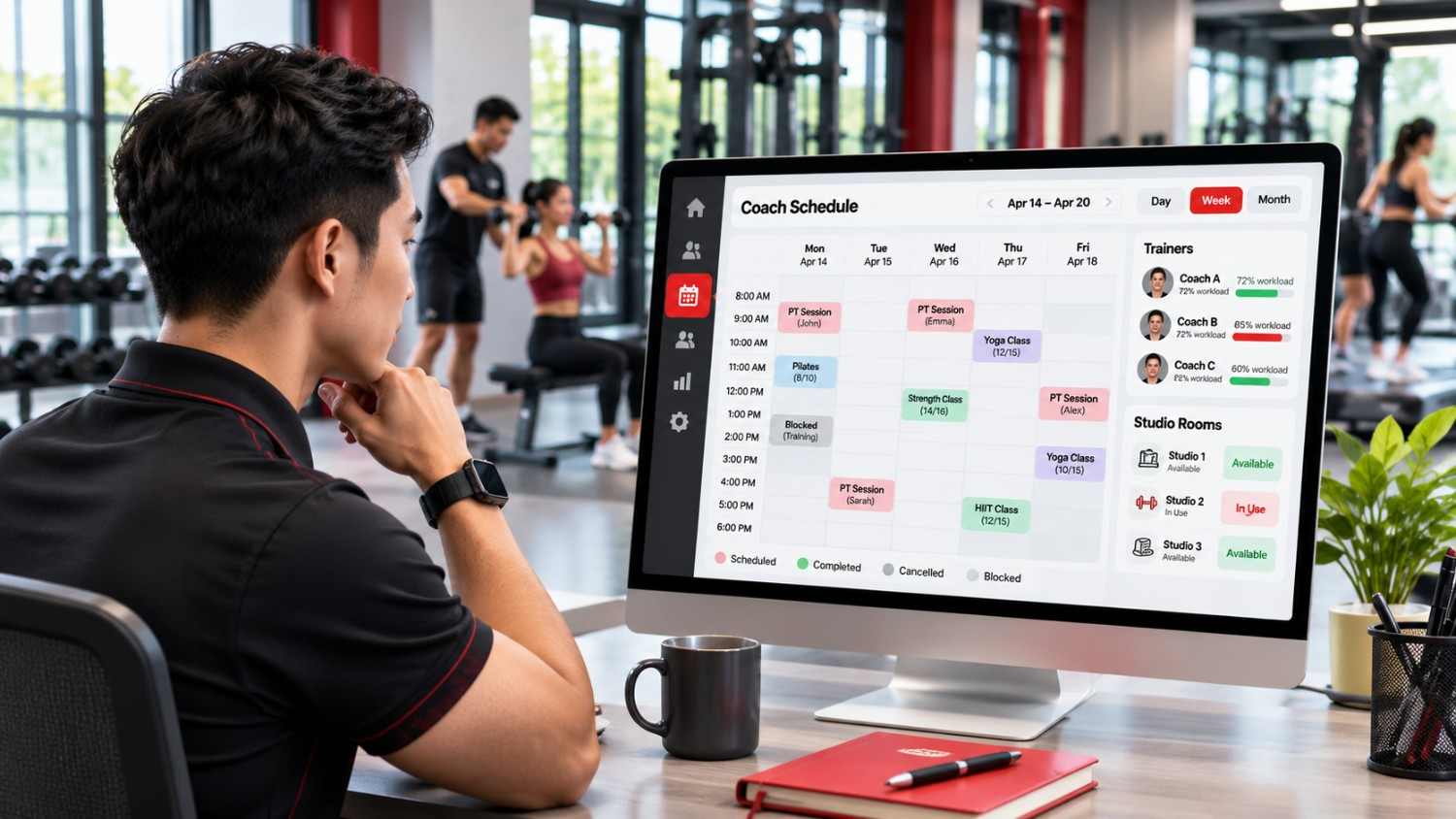
Coach scheduling directly affects how smoothly a fitness studio operates. A business may have several instructors, different training programmes and multiple classes throughout the day.
Managing these activities manually can create conflicts and make it harder to use available coaching hours effectively.
Build coach schedules around availability and expertise
A scheduling system should help administrators understand when each coach is available and which sessions they handle.
| Coach | Specialisation | Availability | Assigned sessions |
| Coach A | Strength training | Morning and evening | Personal training |
| Coach B | Yoga | Morning | Group yoga |
| Coach C | Pilates | Afternoon | Pilates classes |
| Coach D | Functional training | Evening | Group training |
This makes it easier to assign sessions according to availability and experience.
Prevent double bookings and scheduling conflicts
Before confirming a session, administrators should consider:
- Coach availability.
- Session duration.
- Existing appointments.
- Training location.
- Room and equipment availability.
- Client preferences.
For example, a Pilates studio with limited reformer equipment must consider both instructor availability and equipment capacity before confirming a class.
Handle cancellations and rescheduling
Last-minute changes are unavoidable. A client may cancel an appointment, a coach may become unavailable or a class may need to move.
A structured scheduling process allows authorised staff to update appointments and inform affected clients.
Clear cancellation windows, refund conditions and session-credit policies are equally important. Members should understand these rules before booking.
Manage multiple studios and training areas
Businesses operating across multiple locations have additional scheduling requirements. A coach may work at one branch in the morning and another in the evening.
A suitable system should be evaluated for its ability to coordinate locations, training rooms, equipment, coach assignments and location-specific schedules.
Client Management Beyond Basic Contact Information
Client management is not simply about storing names and phone numbers. Fitness businesses need to understand client goals, training history, attendance and progress to provide a consistent experience.
Digital onboarding and client profiling
When someone joins a studio, the onboarding process should help coaches understand their requirements.
A digital profile may include contact information, fitness goals, training preferences, preferred schedules, assigned coaches and membership details.
For example, one client may want to improve general fitness, while another may be preparing for a sporting activity. Having this information available helps coaches plan suitable sessions.
Personalised workout and nutrition plans
Personal training businesses often maintain individual workout routines and progress records.
| Activity | Information to maintain |
| Workout planning | Exercises, sets and repetitions |
| Progress monitoring | Performance measurements |
| Training history | Previous sessions and changes |
| Nutrition planning | Meal guidance, where offered |
| Coach communication | Session notes and follow-ups |
Digital records help coaches maintain continuity between sessions. Professional judgement remains essential when designing or changing individual programmes.
Track attendance and client engagement
Attendance records can reveal patterns that are not always obvious during daily operations.
Imagine a member who previously attended three times every week but has not visited for two weeks. The studio could contact the client to understand whether scheduling difficulties or reduced motivation are affecting participation.
This does not necessarily mean the member intends to cancel. However, it provides an opportunity to offer support.
Improve coach-client communication
A connected platform can help organise session reminders, booking updates, progress discussions and coach-client interactions.
For businesses evaluating personal training management software, an important consideration is whether client information and coaching activities can be managed together.
Membership Renewals: Turn Manual Follow-Ups into a Retention Process
Membership renewals should not become a last-minute administrative activity.
When a fitness business contacts members only after their memberships expire, it may miss opportunities to understand client concerns or encourage continued participation.
A more organised process helps owners identify upcoming expiries and plan communication in advance.
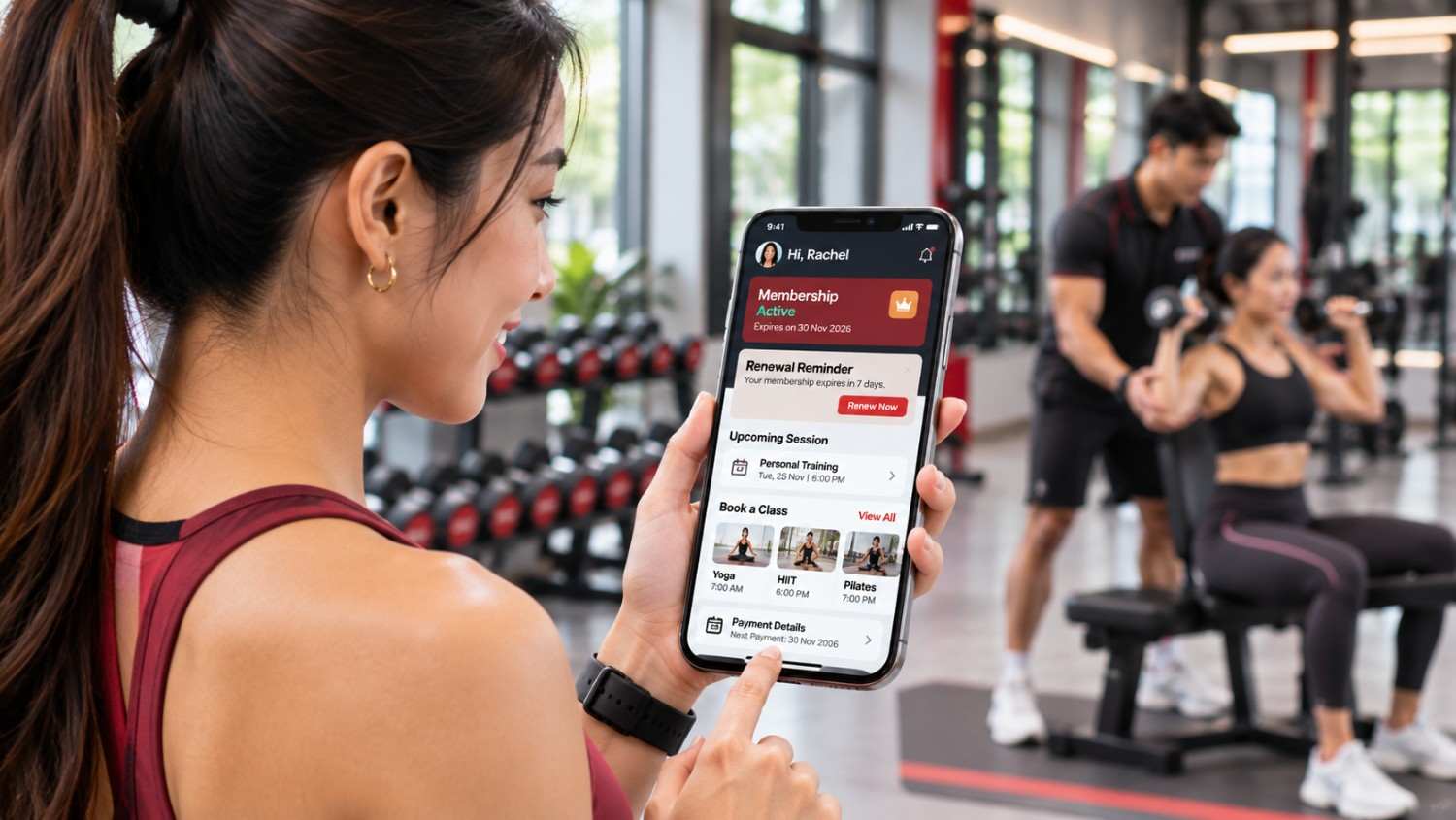
Track membership expiry dates and upcoming renewals
A centralised membership record makes it easier to identify active, expiring and expired memberships.
| Member | Membership type | Status | Next action |
| Client A | Monthly | Active | Advance reminder |
| Client B | Annual | Active | Renewal discussion |
| Client C | PT package | Low credits | Package follow-up |
| Client D | Monthly | Expired | Re-engagement |
This helps administrators prioritise follow-ups instead of discovering expired memberships when clients try to book their next session.
Automate renewal reminders and payment follow-ups
A studio can organise reminders around its membership policies.
| Timing | Suggested action | Purpose |
| 7 days before expiry | Send a reminder | Give members time to decide |
| 3 days before expiry | Share renewal options | Explain the next step |
| On expiry date | Confirm membership status | Avoid access confusion |
| After expiry | Follow up where appropriate | Understand renewal interest |
These timings are examples, not fixed industry rules. Communication should reflect customer preferences and applicable consent requirements.
Manage different membership and session-pack models
Fitness businesses often sell different types of memberships.
| Membership model | How it works | Suitable business |
| Monthly membership | Monthly access | Gyms and studios |
| Annual membership | Longer-term access | Fitness centres |
| Class bundles | Fixed number of sessions | Yoga and Pilates |
| PT packages | Prepaid training sessions | Personal trainers |
| Drop-in sessions | Individual class purchases | Group fitness studios |
| Recurring subscription | Repeated billing | Subscription businesses |
A good membership system should make entitlements, payment status and remaining session credits easy to understand.
Identify inactive clients before they discontinue
Membership expiry is not the only indicator of possible disengagement.
A client who has not attended for several weeks may be facing scheduling issues or reduced motivation. Rather than waiting for the membership to expire, the studio can initiate a friendly check-in and help the client find a suitable class.
How a membership renewal process can be organised
| Step | Action | Expected outcome |
| 1 | Review membership records | Identify upcoming expiries |
| 2 | Send an advance reminder | Inform members |
| 3 | Check responses | Understand renewal interest |
| 4 | Follow up where needed | Share relevant options |
| 5 | Confirm payment | Verify transaction |
| 6 | Update membership | Maintain accurate records |
| 7 | Continue engagement | Support the relationship |
The objective is to make renewals organised and transparent instead of relying on staff to remember every expiry date.
Read more about gym membership management software.
From Scheduling to Retention: What Should Fitness Business Owners Measure?
Software becomes more useful when it helps owners understand what is happening across their businesses.
Instead of focusing only on completed sessions, fitness operators can monitor operational indicators that support better decisions.
| Business metric | What it measures | Why it matters |
| Coach utilisation | Booked versus available hours | Review coach capacity |
| Class occupancy | Attendance versus class capacity | Identify popular sessions |
| Attendance rate | Attended versus confirmed bookings | Understand participation |
| Membership renewal rate | Renewals versus memberships due | Evaluate retention |
| Client engagement | Booking and attendance patterns | Identify disengagement |
| Package utilisation | Used versus purchased sessions | Monitor package activity |
For example, a studio may discover that evening classes consistently attract more bookings than afternoon sessions. The owner can use this information when reviewing class timings and coach allocation.
Similarly, several members with unused training credits approaching expiry may indicate a need for better communication or booking support.
These indicators should be interpreted in context. A missed renewal does not automatically mean poor service, but it can highlight an area worth investigating.
Choosing Fitness Business Software in Singapore: What Should You Evaluate?
Selecting software is an important business decision. A platform that works for an independent trainer may not offer everything required by a multi-location fitness studio.
Before choosing a solution, owners should identify which activities they want to manage more efficiently.
Does it support your fitness business model?
| Business type | Important requirements |
| Boutique studio | Class schedules, bookings and memberships |
| Personal training business | Coach calendars and client profiles |
| Yoga studio | Group class schedules and attendance |
| Pilates studio | Instructor availability and equipment capacity |
| Multi-location gym | Centralised administration |
| Hybrid fitness business | In-person and digital experiences |
The best solution should fit the actual operating model rather than forcing the business to change every process around the software.
Does it offer integrated scheduling, CRM and billing?
A disconnected platform can create duplicate work. For example, if bookings are managed in one application and payments in another, staff may need to update the same information more than once.
Check whether the platform can bring together client profiles, coach schedules, class bookings, attendance, memberships, payments and renewal workflows.
Can clients and coaches use mobile applications?
Mobile accessibility makes everyday interactions more convenient. Clients may want to view schedules, check membership information or communicate with coaches without contacting reception for every update.
Coaches may also need access to assigned sessions while working across different training areas.
Does it support data protection and secure operations?
Fitness businesses may collect personal details, payment-related records and, depending on their services, health-related information.
Singapore’s Personal Data Protection Act (PDPA) establishes obligations concerning the collection, use, disclosure and protection of personal data.
Businesses can refer to the official PDPC guide to data protection obligations and the Personal Data Protection Act 2012.
When evaluating software, ask about access controls, security arrangements, data retention and backups. For digital payment arrangements, the Monetary Authority of Singapore provides information about Singapore’s financial and payment services framework.
Can the platform scale with your business?
A growing studio may introduce additional coaches, services, locations or branded digital experiences.
Consider whether the platform supports future requirements through suitable integrations, customisation and expansion options.
Software selection checklist
- Centralised client management.
- Coach scheduling and availability.
- Class booking and attendance.
- Membership and package management.
- Renewal and payment follow-ups.
- Mobile access for clients and coaches.
- Reporting and business insights.
- Appropriate data protection.
- Scalability and integration options.
A product demonstration can help you understand how these features work in practice.
Why UAutomate AI Is More Than a Fitness Scheduling Tool
Fitness businesses need more than an isolated booking application. They need technology that connects the activities involved in running and growing their operations.
UAutomate AI approaches fitness technology through connected software engineering and branded mobile applications designed around fitness business requirements.
Its AI Fitness Apps solution focuses on bringing different parts of the fitness experience together.
One connected platform for clients, coaches and administrators
UAutomate AI presents a connected fitness operating approach that brings together client-facing applications and business-side management capabilities.
This gives businesses an opportunity to create a more organised member experience while providing staff with a central environment for managing relevant information.
Branded fitness apps for your business
A branded fitness application allows a studio to offer a digital experience under its own business identity.
Depending on the project scope, this may include:
- Branded mobile application experiences.
- Session booking and rescheduling.
- Coach-client communication.
- Membership information and digital membership cards.
- Attendance and renewal visibility.
- Client progress tracking.
The exact features can be discussed according to the business’s requirements.
Integrated coaching and client management
UAutomate AI’s fitness solution highlights coach-client communication, session management, booking requests and session reminders.
These capabilities are relevant for businesses that want to improve coordination between coaches and members.
Membership tracking and retention management
UAutomate AI also highlights digital membership information, deduction history, renewal management and client attendance.
Connecting these activities can give fitness businesses better visibility into membership activity and client engagement.
AI-powered insights and connected integrations
UAutomate AI highlights AI-assisted profile analysis, improvement tracking and personalised recommendations as part of its fitness application offering.
These capabilities can support a more informed approach to understanding client activity and progress.
The precise functionality, integrations and implementation scope should be confirmed with the UAutomate AI team during a demonstration.
Visit the UAutomate AI homepage to explore its software engineering and application development services.
How a Branded Fitness App Improves the Member Experience
In many cases a fitness business’ relationship with its members is a continuous one which does not terminate at the end of a single training session.
Members may check out what classes are coming up, go over workout info, reach out to the coaches or look at membership details between visits.
A brand’s app can provide a consistent way to manage these interactions.
Convenient access to schedules and bookings
Members can use our mobile app to view session info and manage booking requests which are within the studio’s booking terms.
For instance a person looking for the next yoga class can use the app which is a more convenient option than calling reception.
A central place for workout plans and progress
Digital progress reports which clients and coaches use to review training over time. Based on the application setup clients may also access workout info, milestones and update reports.
Easier communication with coaches
Communication tools can improve coordination of sessions, discussion of training progress and rescheduling requests.
A consistent experience under your own fitness brand
A brand’s app is an additional touchpoint for the business to preserve its identity and customer relationship.
For owners considering this approach, read how to launch your own branded gym app without building one from scratch.
Frequently Asked Questions About Fitness Studio Management Software
1. What is fitness studio management software?
It is a digital platform that helps fitness businesses manage coach scheduling, client information, class bookings, memberships, attendance and payments. Depending on the solution, it may also include mobile applications, communication tools and business reporting.
2. What features should fitness studio software include?
Important features include centralised client profiles, coach availability, class scheduling, booking management, attendance tracking, membership administration and renewal reminders. Personal training businesses may also need session-package tracking and workout records.
3. How can fitness software help manage multiple coaches?
It can provide a shared view of coach availability, assigned sessions and appointment schedules. This helps administrators coordinate training sessions, identify scheduling conflicts and manage changes.
4. Can fitness studio software automate membership renewals?
Some platforms support expiry tracking, automated reminders and recurring payment workflows. The exact level of automation depends on the platform, its configuration and available payment integrations.
5. What is the difference between gym management software and personal training software?
Gym management software generally focuses on memberships, class bookings, attendance and payments. Personal training software places greater emphasis on individual client profiles, trainer assignments, appointments, session packages and workout progress. Some platforms combine both.
6. How much does fitness studio management software cost in Singapore?
Pricing varies according to the number of users, features, mobile application requirements, integrations and customisation. Some providers charge monthly subscriptions, while custom application development may involve project-based costs. Businesses should request quotations based on their requirements.
7. Can a fitness studio have its own branded mobile app?
Yes. Businesses can explore white-label or custom-developed applications using their own branding and identity. Depending on the project scope, these applications may include class booking, membership information, coach communication and client progress features.
8. Is fitness studio management software suitable for small fitness businesses?
Yes. Small studios and independent trainers can benefit from organised client records, booking management and membership tracking. The important consideration is choosing a solution that fits the current business size while leaving room for future growth.
Simplify Your Fitness Studio Operations with UAutomate AI
Managing a fitness business can present more challenges when coach schedules, client information and membership renewals are handled by separate systems. An integrated digital platform which ties these elements together is what you need to present a more organized experience for staff and members.
For fitness businesses in Singapore looking to implement fitness studio management software, we at UAutomate AI present an integrated solution which includes fitness apps, coach to client communication, membership management, progress tracking and branded digital experiences.
In whatever capacity you are in the fitness business, from a small studio to a large multi location center, the right technology should support your present model and what you wish to achieve in the future.
Ready to streamline your fitness studio operations?
Check out UAutomate AI’s fitness solutions and get in touch with the team to discuss your needs and request a demo.