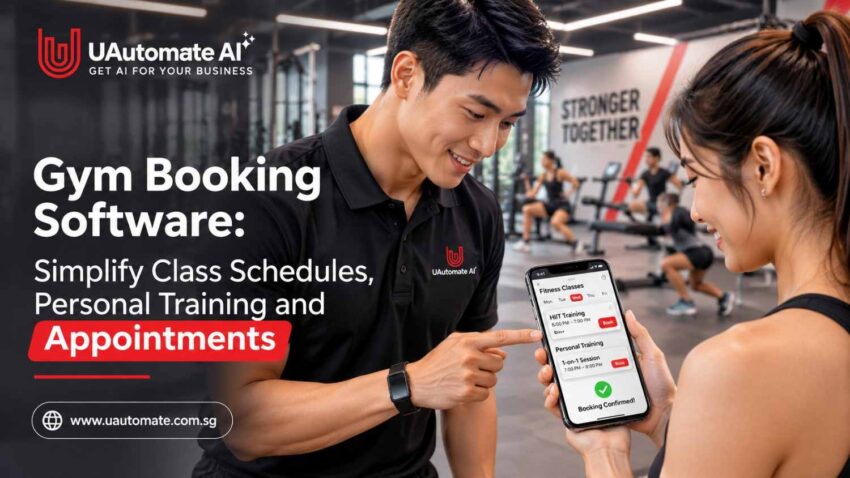
Running a fitness business is about more than just putting together workout sessions. What also falls to gym owners and studio managers is the task of timing classes, reporting on trainer availability, member signups and changes to daily routines. When these are done via spreadsheets, phone calls and separate calendars what we see is that even a small error in the schedule can cause a lot of issues. With the use of gym booking software we see which activities are brought together, in turn it makes it easier for members to sign up for classes and for staff to manage their schedules. In Singapore, a well integrated booking system also improves daily coordination within the business and at the same time gives members a better experience. Also as the business grows a fitness software solution can tie in bookings with other business functions.
Three Booking Journeys That Every Fitness Business Must Manage
Not all fitness bookings are the same. Group classes, personal training sessions and fitness assessments each have distinct requirements. To do an effective job of booking clients you must first understand these differences.
1. Group fitness classes: Managing shared capacity
Group classes are on a set schedule and we limit the number of participants. At the fitness studio we offer yoga in the morning, HIIT at lunch time and strength training in the evening.
Each class should have defined booking terms which include participant numbers, reservation dates and cancellation policies.
For example:
| Class | Time | Instructor | Capacity |
| Morning Yoga | 7–8 AM | Coach A | 15 |
| HIIT Training | 12:30–1:15 PM | Coach B | 12 |
| Strength Training | 6–7 PM | Coach C | 16 |
| Evening Pilates | 7:30–8:30 PM | Coach D | 10 |
A suitable booking system should help staff manage class capacity, recurring schedules, reservations and waiting lists. This becomes particularly useful when popular sessions fill up quickly.
For more information about connected reservations and attendance, explore gym booking and payment software.
2. Personal training: Managing individual trainer availability
Personal training requires a different approach because appointments depend on the availability of both the trainer and the client.
A trainer might conduct a 60-minute strength session in the morning, followed by another appointment later in the day.
A personal training booking system should help manage:
- Individual trainer calendars.
- Session duration and availability.
- Recurring appointments.
- Client rescheduling.
- Breaks between sessions.
- Package or session-credit eligibility.
For example, if a trainer has appointments at 9 AM and 11 AM, the system should check whether another requested session can fit between them without creating a scheduling conflict.
Explore UAutomate AI’s guide to personal training management software for more information.
3. Fitness appointments: Managing consultations and specialised sessions
Some fitness services require individual appointments rather than regular class reservations.
These may include:
- Initial fitness assessments.
- Trial sessions.
- Personal consultations.
- Body composition assessments.
- Specialised recovery appointments.
Such bookings may require a particular staff member, room or piece of equipment.
For example, a fitness assessment may require both a qualified employee and access to specific assessment equipment. The booking process should consider these requirements before confirming the appointment.
Comparing different booking requirements
| Requirement | Group classes | Personal training | Fitness appointments |
| Booking type | Multiple participants | Individual sessions | Time-based appointments |
| Main requirement | Class capacity | Trainer availability | Staff and resource availability |
| Common challenge | Overbooking | Calendar conflicts | Resource allocation |
The aim is to support these different booking journeys without making staff manage each one through a separate process.
The Scheduling Rules Behind a Reliable Booking System
A booking calendar may seem easy to use, but in fact a set of rules determine what reservations will be confirmed. These rules should present the services and operating policies of the fitness business.
1. Set booking windows and reservation limits
Booking windows are the times at which members are able to reserve a session and when reservations close.
For instance a studio may allow members to book group classes in advance up to a week in time and personal training sessions may be booked up to 2 weeks in advance.
Businesses should also set out clear reservation policies by membership type, package or service which includes.
2. Define cancellation and late-cancellation policies
Members at times may change their plans. Also, cancellations very close to the session start time can present a problem in terms of offering the available spot to someone else.
A business should clearly define:
- The cancellation deadline.
- Whether session credits are returned.
- How late cancellations are handled.
- Whether released places go to waiting-list members.
These conditions should be visible before members complete their reservations.
3. Use waitlists to recover released spaces
A class’s waitlist is a tool which is used when the class is at full capacity.
In a HIIT class of 12 spots which are filled with confirmed reservations we put additional members on a wait list instead of having them check in and out.
When a cancellation is reported the available spot will be filled in according to the studio’s wait list policy.
4. Prevent overlapping and duplicate reservations
Scheduling issues arise when the same trainers, rooms or equipment are put to use at the same time in different sessions.
A dependable system should verify relevant availability before making a reservation.
This includes trainer itineraries, room bookings, equipment needs and present appointments.
5. Configure recurring sessions and booking eligibility
Some members prefer the same class each week or set in stone training days with their personal trainer.
Repetitive reservations may simplify this which in turn requires that future availability and member eligibility are checked.
Membership status, package validity and session credits also are a factor.
How a booking request moves towards confirmation
Instead of treating a reservation as a simple calendar entry, fitness businesses can follow a consistent six-step process:
Step 1 – Select a service: The member chooses a group class, personal training session or fitness appointment.
Step 2 – Choose a time: Available dates and time slots are displayed.
Step 3 – Check eligibility: The system checks relevant membership or package conditions.
Step 4 – Verify availability: Trainer, room, equipment and session capacity are checked.
Step 5 – Confirm the reservation: If all conditions are met, the booking is confirmed. Otherwise, alternatives or a waitlist may be offered.
Step 6 – Update records: Relevant calendars are updated and confirmation messages are sent.
This approach helps reduce avoidable booking errors and keeps members informed.
How to Coordinate Trainers, Classes and Facility Availability
A session is not limited to just a time slot. Also it may require an instructor, a proper room and specific equipment.
This is a particular issue for Pilates studios, boutique fitness centres and gyms which offer a variety of training.
1. Match trainers to the right sessions
Trainer assignments should take into account qualifications, specialisation, availability and present appointments.
For instance a yoga instructor may not be the right person to do a specialized strength assessment.
The training schedule should present which is at the same time available and suitable.
2. Account for studio rooms and equipment availability
In a Reformer Pilates studio which has eight machines we see that even if an instructor is present the studio should not take in more participants than what the equipment capacity allows.
| Resource | Example requirement | Scheduling consideration |
| Instructor | One qualified coach | Availability |
| Studio | One training room | Room allocation |
| Equipment | Eight machines | Capacity |
| Session | 60 minutes | Timing |
| Participants | Maximum eight | Reservation limit |
Checking these requirements before confirming a session helps prevent operational confusion.
3. Coordinate schedules across different branches
Businesses operating multiple locations need visibility into branch-specific schedules.
For example, a gym with locations in the CBD and Tampines may want to review class demand, trainer availability and reservations at both branches.
A centralized system can help owners compare schedules while maintaining separate availability for each location.
Read more about managing multiple gym locations.
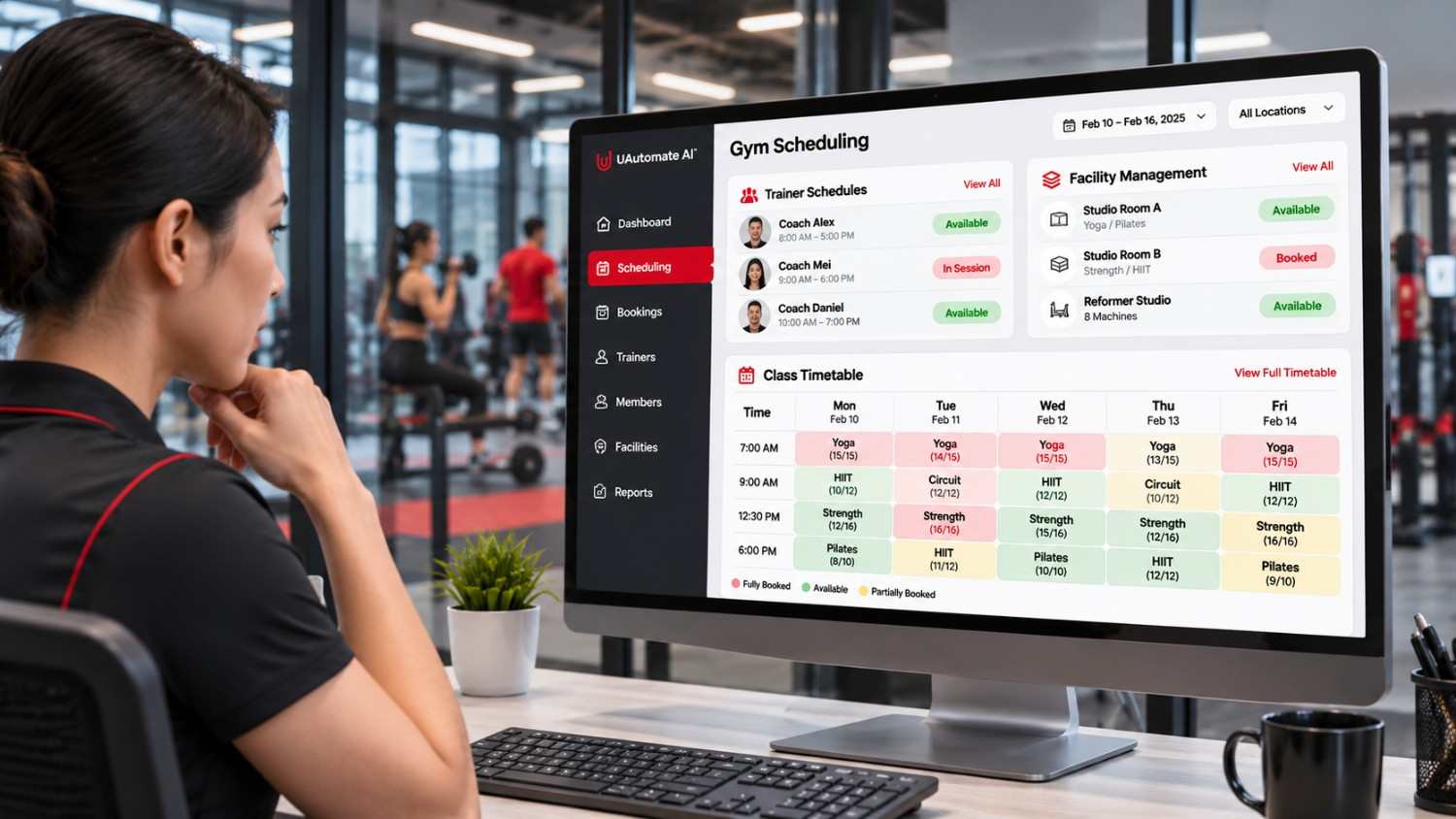
4. Give managers and trainers the right calendar visibility
Different employees need access to different scheduling information.
| User | Information required |
| Gym owner | Overall booking activity |
| Studio manager | Classes, rooms and trainers |
| Trainer | Assigned sessions and appointments |
| Reception team | Reservations and cancellations |
| Member | Personal bookings and available sessions |
Role-based access helps employees focus on their responsibilities while keeping business information organised.
A practical resource coordination workflow
Before confirming a session, staff or the system should complete these checks:
- Identify the service: Determine whether the request is for a class, personal training session or appointment.
- Check the trainer: Confirm that the assigned instructor is qualified and available.
- Check the location: Verify that the required room or training area is free.
- Check equipment: Confirm that the necessary equipment is available.
- Verify capacity: Make sure the reservation does not exceed the permitted limit.
- Confirm and update: Finalise the booking and update the relevant calendars.
This is especially useful for studios where multiple resources must be available at the same time.
Managing Changes Without Disrupting the Entire Schedule
Fitness schedules change regularly. Trainers may take leave, members cancel appointments and classes sometimes need to be rescheduled.
A good booking process should make these changes easier to manage.
1. What happens when a trainer becomes unavailable?
If an instructor cannot conduct a scheduled class, the studio needs to identify the affected reservations and check whether another qualified trainer is available.
The manager can then assign a replacement, update the schedule and notify registered members.
If no replacement is possible, the business should follow its cancellation and credit policy.
2. How should cancellations and rescheduling be handled?
Suppose a member wants to move a personal training appointment from Wednesday to Friday.
Before confirming the change, the system should check the trainer’s availability, appointment duration, membership or package eligibility and cancellation conditions.
Once approved, the original booking should be updated and the relevant people notified.
3. How can waitlisted members be notified?
When a confirmed member cancels a fully booked class, the available place can be offered to an eligible waiting-list member.
A typical process involves:
| Stage | Action |
| Cancellation | A member releases a place |
| Availability update | Class capacity is recalculated |
| Waitlist review | Next eligible member is identified |
| Notification | Member receives an offer |
| Confirmation | Member accepts within the allowed time |
| Record update | Reservation is updated |
The business should decide whether offers are automatic or require staff approval.
4. What happens when a member misses a session?
No-shows can affect trainer planning and class utilisation.
Businesses should maintain separate records for attendance, cancellations, late cancellations and missed sessions.
This makes it easier to understand actual participation and apply booking policies consistently.
Managing a cancellation or rescheduling request
A simple six-step process can keep everyone informed:
- Receive the request: A member or trainer reports a scheduling change.
- Identify the booking: Locate the affected appointment or class.
- Check the policy: Verify whether the requested change is permitted.
- Update availability: Release the original slot or adjust the appointment.
- Notify affected people: Inform the trainer, member or waiting-list participants.
- Update records: Ensure calendars and booking information remain accurate.
A consistent process reduces the chances of outdated schedules and missed communication.
Turning Booking Data into Better Business Decisions
Booking records can help fitness business owners understand more than daily reservations. They can reveal which classes attract demand, how trainers’ schedules are being used and where attendance problems occur.
1. Class occupancy and booking utilisation
Suppose a class has 20 available places and 16 members attend.
Attendance-based utilisation = Actual attendance ÷ Available capacity × 100
16 ÷ 20 × 100 = 80%
It is important to distinguish attendance utilisation from booking fill rate. A class may have all 20 places reserved but only 16 attendees.
2. Cancellation and no-show patterns
Owners can review which classes experience frequent cancellations and whether particular time slots have higher no-show rates.
This information may help them adjust reminders, booking deadlines or class schedules.
3. Trainer workload and appointment utilisation
Suppose a trainer has 30 available appointment hours in a week and conducts 21 hours of booked sessions.
21 ÷ 30 × 100 = 70% trainer utilisation
This provides an overview of booked time, although preparation, breaks and administrative responsibilities should also be considered.
4. Identifying high-demand and underused time slots
Booking reports can help identify consistently popular classes and sessions with lower participation.
Owners can use these observations to review class timings, trainer allocation and service offerings.
Key booking performance metrics
| Metric | What it measures | Business value |
| Booking fill rate | Reservations against capacity | Demand |
| Attendance utilisation | Actual attendance against capacity | Space utilisation |
| Cancellation rate | Cancelled reservations | Booking behaviour |
| No-show rate | Missed confirmed bookings | Attendance patterns |
| Trainer utilisation | Booked hours against available hours | Workload |
| Repeat booking rate | Returning members who book again | Continued engagement |
These metrics are most useful when reviewed consistently over time rather than judged through a single week’s performance.
What to Evaluate Before Choosing a Booking Platform
Choosing software requires more than comparing calendars and booking interfaces. The solution should support the actual services and operational requirements of the fitness business.
1. Does it support different booking models?
Check whether the platform can manage group classes, personal training, fitness assessments, trial sessions and recurring appointments.
2. Can members manage bookings through mobile devices?
Members should be able to view schedules, reserve sessions and access booking information conveniently.
For businesses interested in their own digital experience, explore UAutomate AI fitness applications.
3. Does it support automated notifications?
Look for notifications covering booking confirmations, reminders, cancellations, rescheduling and waitlist updates.
4. Can it connect with memberships, payments and attendance?
A connected platform can help maintain consistent records across bookings, membership eligibility, session credits, payments and attendance.
5. Can the system grow with the business?
Consider whether the platform can accommodate additional trainers, classes, locations, services and integrations.
Businesses with more specialised requirements can also explore custom gym management software development.
Booking software evaluation checklist
| Evaluation area | What to check |
| Booking models | Classes, appointments and PT sessions |
| Availability | Trainer and resource schedules |
| Capacity | Booking limits and waitlists |
| Mobile access | Member booking experience |
| Notifications | Automated updates |
| Integrations | Memberships and payments |
| Reporting | Booking and attendance data |
| Scalability | Additional branches and services |
| Data protection | Access controls and personal information handling |
Singapore fitness businesses should also consider how member information is collected and managed. The Personal Data Protection Commission provides guidance on obligations under Singapore’s PDPA.
For accessible online booking forms, the W3C Web Accessibility Initiative offers useful guidance on form labels, instructions and validation.
How UAutomate AI Connects Fitness Bookings with Business Operations
A fitness business needs more than a booking calendar as its operations grow. Members, trainers, administrators and owners all need access to relevant information.
UAutomate AI approaches fitness technology through branded mobile applications and connected digital solutions for gyms, personal training businesses, yoga studios, Pilates studios and other fitness operators.
Its AI fitness solutions are designed to support different fitness business requirements.
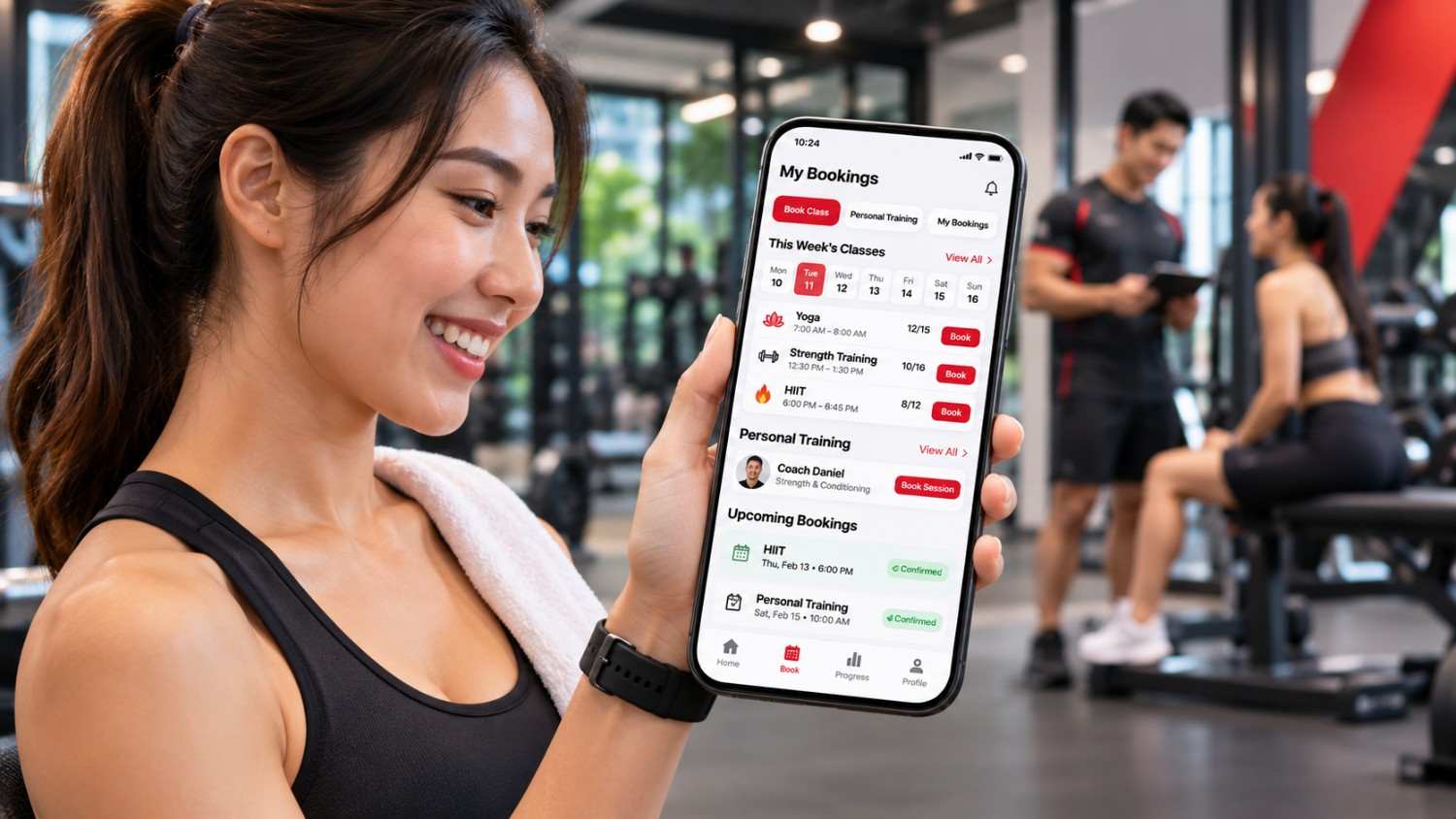
1. Member-facing booking experience
Members need an easy way to interact with their fitness provider.
UAutomate AI presents capabilities such as session booking, booking updates, coach communication, reminders and personalised fitness schedules through branded mobile applications.
2. Coach and trainer coordination
Trainers need visibility into their upcoming sessions and client interactions.
Relevant capabilities include session management, coach-to-client communication, reminders and client progress information.
3. Connected fitness business operations
Depending on the configured solution, the platform can bring together different areas of fitness operations.
| Business area | Relevant capability |
| Client management | Member profiles and onboarding |
| Booking | Session and schedule management |
| Trainer operations | Coach communication |
| Memberships | Membership records and renewals |
| Attendance | Client attendance information |
| Fitness delivery | Workout plans and schedules |
| Engagement | Reminders and progress tracking |
| Business intelligence | AI-assisted insights |
4. A solution for different fitness business models
| Business type | Important requirement |
| Personal training studio | Individual appointments |
| HIIT studio | Class capacity |
| Yoga studio | Class reservations |
| Reformer Pilates studio | Equipment allocation |
| Boxing gym | Group and private sessions |
| Multi-location gym | Centralised schedules |
UAutomate AI’s approach is to support these different business requirements through connected digital solutions rather than assuming every fitness business operates in the same way.
For gym owners considering a more tailored solution, UAutomate AI can be approached to discuss business workflows, software requirements and potential integrations.
Frequently Asked Questions About Gym Booking Systems
1. What is gym booking software and how does it work?
It is a digital platform that helps fitness businesses manage class reservations, personal training sessions and appointments. Members can reserve available slots while staff manage schedules, capacity, cancellations and booking records.
2. Can gym members book fitness classes online?
Yes. Depending on the platform, members can view available classes, reserve places through a website or mobile application and receive booking confirmations and reminders.
3. How does fitness class booking software manage fully booked classes?
It can enforce participant limits and prevent additional reservations once a class reaches capacity. Some platforms also support waitlists, allowing members to receive an offer when a place becomes available.
4. Can a personal training booking system manage multiple trainers?
Yes. It can maintain separate trainer calendars, display available appointment slots and help prevent overlapping reservations. Additional features may include recurring sessions and rescheduling.
5. What is the difference between gym scheduling software and appointment booking software?
Gym scheduling software generally manages classes, trainers, capacity and recurring fitness sessions. Appointment booking software focuses on individual reservations. Businesses offering both services may benefit from a solution supporting both.
6. Can gym booking software integrate with membership management and payment systems?
Yes, depending on available integrations. Connecting bookings with membership records, session credits and payments can help businesses maintain consistent information and manage reservation eligibility.
Simplify Your Fitness Business Scheduling with UAutomate AI
Managing classes, personal training sessions and fitness appointments is a coordination effort between members, trainers and available resources. We have found that a good gym booking software solution may improve on these tasks which in turn improves the booking experience.
In Singapore the fitness businesses we focus on are those which we at UAutomate AI have designed connected fitness technologies and branded mobile apps for which we tailor to each business’ needs.
In whatever capacity you run a personal training studio, Pilates centre, group fitness studio or multi location gym the right solution should.
Ready to step up your fitness business?
Contact UAutomate AI to talk through your needs and we will present to you a fitness software solution that is tailored to your business.
Simplify your check in. Integrate with us. Grow with UAutomate AI.