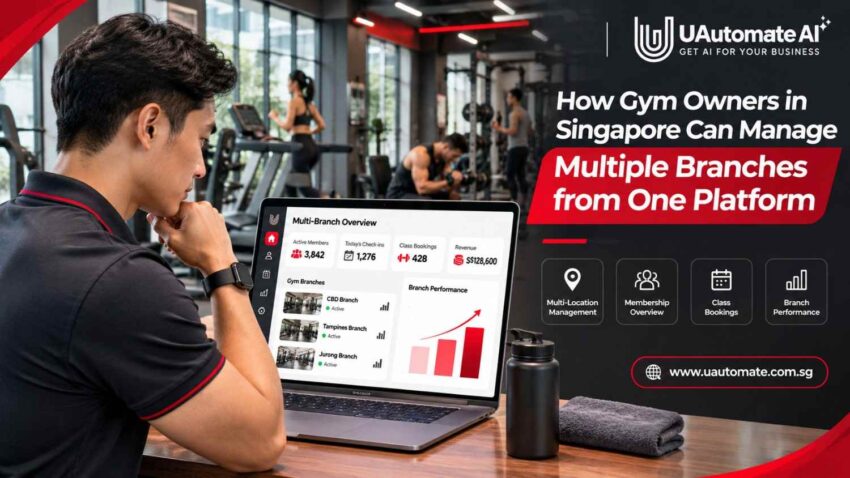
Expanding a gym business to many locations is a great achievement but also brings in new issues. What may work for one gym may not for many. Owners must deal with memberships, payments, trainers, class schedules and member information across different locations. When these activities are run through separate spreadsheets, applications and communication channels what may be routine tasks become time consuming. This is where multi branch gym management software comes in. By bringing together key business functions we allow owners to have better visibility of what is going on at all locations which in turn allows individual branches to run their day to day goings on. For fitness businesses in Singapore having a connected management approach makes multiple branches easier to organize and support a more consistent member experience.
Why Managing Multiple Gym Branches Becomes Difficult as a Business Grows
Managing a single gym gives owners a clear picture of what is going on. They can talk directly to employees, check membership records, review payments and handle customer issues without the need to coordinate between multiple locations.
Also, as we open more branches the situation changes. Each location brings in new members, employees, schedules, transactions and operational issues. Without a consistent management approach info can quickly become dispersed.
Consider a fitness business operating three locations in Singapore: Tampines, Jurong and the Central Business District. In each of the branches there are separate trainers, membership registrations and daily activities. Should they have different systems in place the owner may have to use several sources to see the big picture of the business.
Some common challenges include:
1. Disconnected Member Information
Members at times may use different branches out of the many which may be available to them as a member. If each branch has separate record systems, staff may have trouble in verifying member status, payment history or past bookings.
This results in multiple registrations, unneeded communication and delays at reception.
When bookings, payments, attendance and member information are handled through separate tools, managing daily operations becomes increasingly difficult. Our guide on connected gym software in Singapore explains how fitness businesses can bring these activities into a more organised digital environment.
2. Different Processes at Every Branch
In some cases we see one branch go by a different membership renewal process, in other branches they may handle reminders and cancellations in a different way. Over time these differences will play a role in service quality and also will make it hard to maintain the same business standards.
3. Limited Visibility into Branch Performance
Owners should look beyond total revenue reported by the business. Also they should know which locations are seeing growth in new members, which are losing renewals and which class offerings are not performing.
When reports are kept separate that which is to be compared is made more difficult.
4. Communication Gaps Between Teams
Headquarters, branch managers, trainers and reception staff all have different roles. As we see in the practice of sharing updates via multiple spreadsheets, emails and messaging groups important info is at risk of being left out.
A connected OS brings these activities into a more organized environment.
What Does a Centralised Gym Management System Actually Look Like?
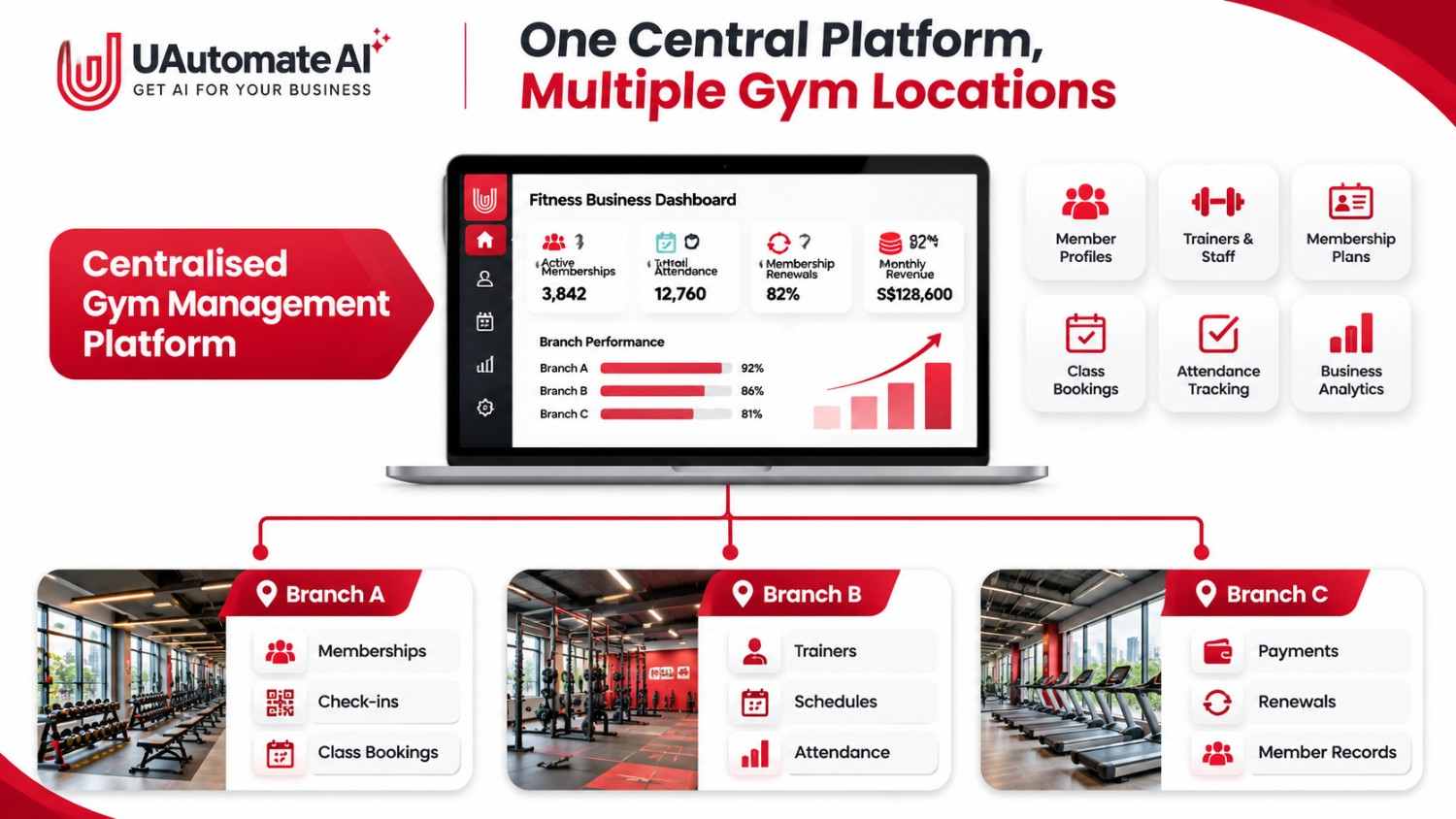
A central management system brings together key business information which in turn does not require every branch to use the same systems.
Instead of separate systems a fitness chain may use a shared platform which in turn they may put their personnel into different access groups.
One Platform, Multiple Locations
A connected management environment can bring together several important activities:
- Member profiles and membership information.
- Payment and renewal records.
- Class schedules and bookings.
- Trainer assignments and availability.
- Attendance information.
- Branch-level business reports.
- Member communication.
This provides owners a structured view of their operations and also reduces the use of manual data collection from various locations.
Central Control Without Removing Branch Independence
Centralized management doesn’t require headquarters to sign off on every routine matter. Branches should still have the flexibility to handle day to day responsibilities.
For instance business owners can set the membership policies and pricing guidelines which in turn branch managers will handle local schedules, employee assignment and member inquiries.
A practical three-level management structure
| Management level | Main responsibilities | Information required |
| Headquarters | Business policies, overall performance and expansion planning | Consolidated reports and branch comparisons |
| Branch managers | Daily operations, staff coordination and member enquiries | Local memberships, attendance and schedules |
| Trainers and reception teams | Training sessions, check-ins and customer assistance | Assigned members, bookings and relevant membership details |
This approach allows the business to maintain consistent standards while giving employees the information they need to perform their jobs.
If you are evaluating how to coordinate operations across different locations, our article on a centralised gym management system explains the important capabilities to consider when choosing a suitable platform.
How to Manage Multiple Gym Locations Through One Platform
The real value of a connected platform comes from how well it supports everyday activities. Gym owners should look beyond the number of features offered and consider whether the software can simplify the processes that keep each branch running.
Here are six important operational areas to consider.
1. Manage All Member Records from a Shared Database
Member information is one of the most important parts of gym operations. When every branch maintains separate records, employees may have difficulty identifying existing members, checking membership validity or understanding previous interactions.
A shared member database can help maintain:
- Contact details and member profiles.
- Membership type and validity period.
- Payment history.
- Booking and attendance records.
- Membership renewal dates.
- Relevant communication history.
- Branch access permissions.
For example, a member initially registers at a fitness centre in Tampines but later decides to attend a class at its Jurong branch.
Instead of asking the member to provide their details again, authorised employees can check the existing profile and confirm whether the membership allows access to that location.
This creates a smoother experience and reduces repetitive administrative work.
2. Standardise Memberships, Payments and Renewals
As a fitness business expands, membership policies need to remain clear across locations. Some businesses offer single-branch memberships, while others provide premium packages that allow members to access multiple facilities.
| Membership type | Possible access arrangement | Management requirement |
| Single-location | One assigned branch | Location-specific access |
| Multi-location | Selected branches | Defined location permissions |
| Premium | All eligible branches | Shared membership visibility |
| Corporate | Based on company agreement | Agreed eligibility rules |
| Personal training | Assigned coaching location | Trainer and session tracking |
A connected membership system can help employees check membership validity, review payment records and identify upcoming renewals.
Gym owners should also consider how recurring billing, failed payments, refunds, membership freezes and renewal reminders will be managed.
Having clear processes for these activities makes it easier to maintain consistent membership administration as additional branches are introduced.
For a closer look at these operational requirements, explore our guide to gym booking and payment software.
3. Coordinate Class Bookings and Trainer Schedules
Scheduling becomes more complicated when several branches share trainers, equipment or specialised classes.
A connected scheduling environment can help managers review trainer availability, class capacity and session timings without relying on separate documents.
Important scheduling requirements include:
- Trainer availability and assignments.
- Class capacity and reservations.
- Booking cancellations and waitlists.
- Personal training appointments.
- Location-specific class schedules.
- Attendance confirmation.
For instance, a trainer working at two locations needs a clear schedule showing their assigned sessions at each branch. Without proper coordination, overlapping appointments can create confusion for both employees and members.
Managers should also review class demand regularly. If one location consistently has waiting lists while another has available capacity, the business can consider adjusting schedules or trainer allocation.
4. Monitor Attendance Across Every Location
Attendance information helps gym owners understand how members use their facilities. It can also reveal changes in engagement that may not be immediately visible through membership numbers.
| Attendance indicator | What it helps identify |
| Daily check-ins | Overall branch activity |
| Peak visiting hours | Periods of higher demand |
| Class attendance | Popular and underutilised sessions |
| Member visit frequency | Changes in engagement |
| Inactive memberships | Members who may need follow-up |
| Branch utilisation | Differences in facility usage |
Suppose one branch regularly experiences heavy evening traffic, while another has more available capacity during the same period.
Management can investigate whether changing class timings, adjusting trainer availability or improving member communication would help.
Attendance should always be reviewed alongside other business indicators. A high number of visits does not necessarily mean that a branch has strong retention or sustainable revenue.
5. Manage Staff Roles and Branch Responsibilities
Employees across different locations do not all need access to the same business information.
A branch manager may need to review local membership activity and employee schedules, while a trainer mainly needs information about assigned clients and sessions.
Role-based permissions help establish these boundaries.
| User role | Information they may need |
| Business owner | Overall business and branch reports |
| Regional manager | Performance across assigned branches |
| Branch manager | Local operations and employees |
| Reception staff | Member registration and check-ins |
| Trainer | Assigned clients and session schedules |
| Finance employee | Relevant payment and financial records |
This arrangement supports better information management while allowing employees to complete their responsibilities.
Owners should also review access when employees change roles or leave the organisation. Removing unnecessary access is an important part of maintaining secure operations.
6. Generate Consolidated Business Reports
When a fitness business operates several locations, collecting reports manually from each branch can take considerable time.
A centralised reporting environment can make it easier to compare branch performance and identify areas that require attention.
For example, consider the following illustrative monthly report:
| Business metric | Branch A | Branch B | Branch C |
| Active memberships | 850 | 720 | 940 |
| New registrations | 75 | 58 | 92 |
| Monthly revenue | S$42,000 | S$36,000 | S$48,000 |
| Monthly attendance | 4,200 | 3,600 | 4,800 |
| Membership renewals | 82% | 76% | 85% |
Illustrative figures only.
The purpose of this information is not simply to identify the branch generating the highest revenue. Owners should understand why performance differs.
For example, a newer location may have lower revenue but strong membership growth. An established branch may generate more income but experience declining renewals.
Looking at several indicators together provides a more useful picture of business performance.
The Numbers Every Multi-Branch Gym Owner Should Monitor
As a fitness business expands, reporting should go beyond total revenue and membership counts. Owners need indicators that explain how each location performs and where improvements may be necessary.
The following KPIs can provide a useful starting point.
| KPI | What it measures | Why it matters |
| Active memberships | Current active members | Shows the size of the member base |
| Monthly recurring revenue | Recurring membership income | Helps monitor predictable income |
| Retention rate | Members continuing over a defined period | Indicates member loyalty |
| Renewal rate | Eligible memberships renewed | Highlights renewal performance |
| Average attendance | Member visits over a period | Helps assess engagement |
| Class occupancy | Booked or attended places against capacity | Supports class planning |
| Revenue per branch | Financial performance by location | Enables branch comparisons |
| Trainer utilisation | Delivered or scheduled sessions against available capacity | Helps with resource planning |
How Should Owners Use These KPIs?
Consider a branch that attracts 100 new members in a month but also loses a considerable number of existing members.
Looking only at registrations may suggest that the business is growing successfully. However, reviewing cancellations and renewal rates could reveal an underlying retention problem.
Owners should regularly ask:
- Is each branch attracting new members?
- Are existing members renewing their memberships?
- Are classes being used effectively?
- Are trainers allocated appropriately?
- Are payment collections progressing as expected?
Comparing monthly and quarterly trends can help identify changes before they become larger operational problems.
How Multi-Location Software Improves the Member Experience
Centralized management is a tool which goes beyond what is beneficial for owners and employees. We also see it as a solution for day to day member issues.
A fitness business may have state of the art equipment at each location but still produce frustration if the membership experience is inconsistent.
Membership Access Across Eligible Branches
Members with access to multiple branches locations should be able to see what facilities are available to them and what, if any, restrictions there are.
Membership information is out there to avoid at reception that is unnecessary confusion.
Easier Class Booking and Appointment Management
A seamless booking experience which in turn allows members to find out what classes are available, see schedules and make reservations.
Cancellation policies, class size and waitlist information also should be made clear.
A Consistent Branded Fitness App Experience
A branded mobile application gives members a familiar digital environment, regardless of the branch they visit.
Depending on the solution’s functionality, members may be able to:
- View membership information.
- Check class schedules.
- Request or manage bookings.
- Review training sessions.
- Receive reminders.
- Communicate with coaches.
- Monitor fitness progress.

For fitness businesses exploring this approach, UAutomate AI’s branded fitness app solutions provide a relevant starting point.
The aim is to make digital interactions a daily thing, also at the same time for each location to put out services that best suit their members.
A Practical Workflow for Opening and Managing a New Gym Branch
Opening a new site is more than just getting the equipment in place and hiring trainers. The new branch also has to fit into the existing business structure.
A smooth onboarding process which in turn reduces confusion and has the result of employees better understanding their responsibilities.
Step 1: Create the New Branch
Start with inputting the new location’s business details, operating information and management structure.
Identify the managers for the branch out which staff will run day to day operations.
Step 2: Configure Membership and Pricing Rules
Which membership options will you offer and what other locations will be available to customers.
Present membership policies should be looked at before we introduce new branch specific arrangements.
Step 3: Assign Managers, Trainers and Employees
Define roles and provide access according to them.
Managers must know how to review local information, also trainers and reception staff should be aware of what is within their scope of responsibility.
Step 4: Connect Daily Operations
Set up membership records, payment systems, booking schedules and attendance workflows.
In which present systems are used determine that they can be integrated or that information needs to be migrated.
Step 5: Validate Existing Information
Before full operation of the new branch, review imported member records, payment details and employee accounts.
Testing important activities can help identify errors before they affect members.
Step 6: Monitor Performance After Launch
In the first few months review new registrations, attendance, revenue, cancellations and renewals.
Use these results to determine which areas require more training, scheduling changes or operational improvements.
A gradual roll out is a more practical approach than to go with all processes at once.
What Should Gym Owners Evaluate Before Choosing Multi-Branch Software?
Not every platform that supports multiple locations will meet the requirements of a growing fitness chain.
Before choosing a solution, owners should consider how well it fits their existing operations and future expansion plans.
| Evaluation area | Questions to ask |
| Scalability | Can additional branches be added as the business grows? |
| Memberships | Can different membership access rules be configured? |
| Staff management | Can permissions be assigned by role and location? |
| Financial reporting | Can revenue and collections be compared across branches? |
| Booking | Can different classes and locations be managed? |
| Mobile applications | Can members access a branded digital experience? |
| Integrations | Can existing payment and CRM systems connect? |
| Data security | Are appropriate access and protection controls available? |
| Implementation | Is migration and employee training supported? |
| Customisation | Can business-specific workflows be accommodated? |
Businesses with specialised workflows may also benefit from exploring custom gym management software development to understand when tailored technology may be more suitable than standard software.
Consider Singapore’s Data Protection Requirements
Gym operators may collect personal information such as names, contact details, membership records and attendance information.
The Personal Data Protection Commission Singapore provides guidance on the Personal Data Protection Act (PDPA).
Businesses should understand their responsibilities concerning the collection, use, disclosure, protection and retention of personal information.
The PDPA Data Protection Obligations guide is a useful reference when reviewing these requirements.
Gym owners should also consider how cloud-based platforms protect information and control employee access. The Cyber Security Agency of Singapore provides additional guidance on cloud security for organisations.
Data protection should be considered during software selection and implementation rather than treated as an afterthought.
How UAutomate AI Supports Connected Fitness Business Operations
As fitness businesses grow, their technology requirements often extend beyond basic membership management. They may need branded mobile applications, connected business workflows, member engagement tools and customised digital experiences.
UAutomate AI positions its fitness offering around an AI-powered fitness operating system, with branded iOS and Android applications and connected experiences for clients, coaches and fitness businesses.
Its fitness solution areas include client onboarding, personalised fitness plans, coach-client communication, membership management, progress tracking and AI-powered insights.
1. Branded Fitness Applications
A fitness business can explore a mobile application under its own brand, creating a more consistent digital experience for clients and coaches.
Depending on the selected solution and project requirements, this may include client profiles, training schedules, session management, membership information and progress tracking.
2. Connected Client and Coach Experiences
Fitness businesses often coordinate appointments, training information and member communication through different applications.
A connected application can bring relevant interactions into a more organised digital environment.
For personal training studios, this may include session booking, coach-client communication, reminders and training progress information.
3. AI-Powered Insights
AI can help fitness businesses analyse available information and identify patterns in member engagement.
Potential applications include attendance analysis, progress insights and personalised recommendations. Their usefulness depends on data quality, suitable integrations and the way the solution is configured.
4. Custom Software and System Integration
Some fitness businesses have specialised membership rules, several locations or existing applications that do not communicate effectively.
UAutomate AI also offers custom AI software development, which may be relevant when a business needs tailored dashboards, connected systems or workflows designed around its operating requirements.
Its business process automation services may also help businesses reduce repetitive coordination and improve information flow.
The right approach depends on the gym’s existing systems, required functionality and business objectives. Not every business needs a completely new platform. In some cases, integration or targeted customisation may be sufficient.
Frequently Asked Questions About Managing Multiple Gym Branches
1. What is multi branch gym management software?
It is software designed to help fitness businesses coordinate operations across multiple locations. Depending on the platform, it may support shared member records, membership management, staff permissions, booking, attendance and consolidated reporting.
2. Can one gym management system manage multiple locations?
Yes. A suitable platform can provide central oversight of several locations while allowing branch managers to handle daily operations. The exact capabilities depend on the system’s architecture and configuration.
3. Can gym members use one membership across different branches?
Yes, if the business offers cross-branch access and the platform supports the required membership rules. Owners can define whether a plan covers one location, selected branches or all eligible locations.
4. How can gym owners track revenue across multiple locations?
They can use consolidated reporting that compares branch-level revenue, collections, outstanding payments and membership income. Reports should distinguish between payments received, invoices issued and recognised revenue.
5. What features should multi-location gym software include?
Important capabilities include shared member information, branch-level permissions, membership management, booking and scheduling, payment tracking, attendance monitoring, reporting and suitable integrations.
6. How can gym owners improve membership retention across branches?
Owners can monitor renewal trends, identify changes in attendance, review member feedback and establish appropriate follow-up processes. Consistent communication and a convenient member experience can also support retention.
7. Is centralised gym management suitable for small fitness chains?
Yes. Even businesses with two or three locations can benefit from shared information and consistent processes. However, the system should match the business’s actual size, operational complexity and budget.
8. Can a branded fitness app support multiple gym locations?
It can, provided the application is designed to support the required location, membership and booking rules. Businesses should confirm these requirements with the app development provider before implementation.
Manage Every Gym Branch with a More Connected Approach
Running many fitness locations at once is more than just running separate branch accounts and monthly reports. Gym owners need to see into memberships, payments, attendance, staff performance and customer experience at each location while at the same time allowing for efficient operation of each branch. We determine which multi branch gym management software is right by first understanding your operational needs and which processes to integrate. At UAutomate AI we help fitness businesses out with branded applications, connected fitness technology and custom software solutions that are designed for you. Explore UAutomate AI’s fitness solutions or contact with the team to discuss a connected technology approach for your fitness business.